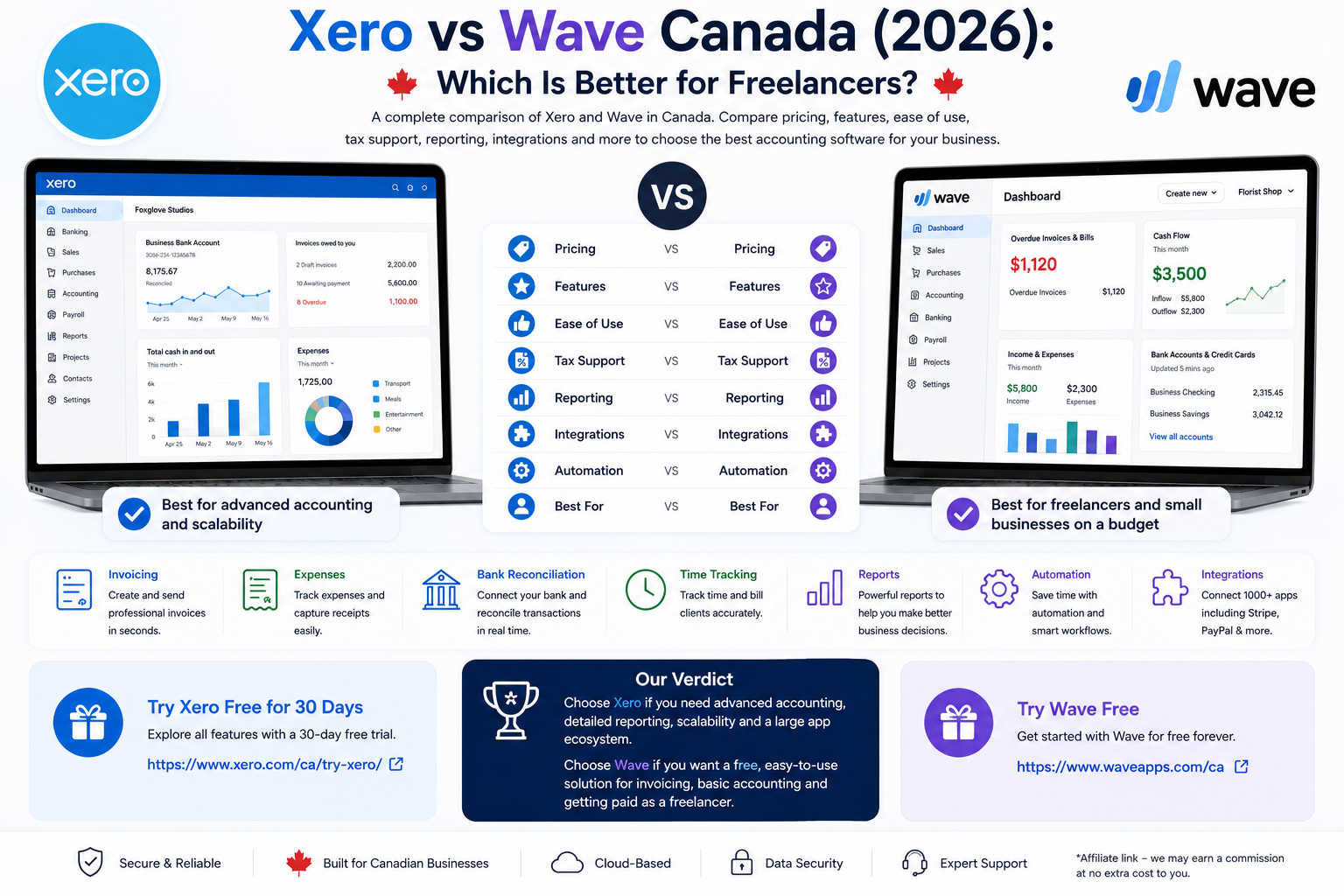
Xero vs Wave Canada is one of the clearest comparisons between a full accounting platform and a simpler freelancer-focused accounting tool.
Wave is built for freelancers and small businesses that want low-cost invoicing and bookkeeping. Its Starter plan is free and includes unlimited invoicing, estimates, bills and bookkeeping records. Wave Pro adds automated bank imports, transaction categorization, receipt scanning and payment reminders for a relatively low monthly cost.
Xero is a more advanced cloud-accounting platform. It combines invoicing, bank reconciliation, bills, purchase orders, inventory, document capture, sales tax, reporting and accountant collaboration in one system.
For most Canadian freelancers, the decision is straightforward.
Choose Wave when simplicity and cost matter most.
Choose Xero when accounting depth, reconciliation, reporting and scalability matter more.
Xero vs Wave Canada: Quick Verdict
Choose Xero when you want:
- full cloud accounting;
- bank reconciliation as a core workflow;
- bills and accounts payable;
- purchase orders;
- inventory;
- Hubdoc receipt and document capture;
- stronger financial reporting;
- collaboration with an accountant or bookkeeper;
- multi-currency on higher plans;
- a large app ecosystem.
Choose Wave when you want:
- free invoicing;
- unlimited invoices;
- simple estimates;
- basic bookkeeping;
- low monthly costs;
- easy online payments;
- simple receipt scanning on Pro;
- automatic bank imports on Pro;
- minimal setup;
- a system designed for smaller businesses.
Best for free invoicing: Wave.
Best for bank reconciliation: Xero.
Best for beginners: Wave.
Best for full accounting: Xero.
Best for growing businesses: Xero.
Best overall value for simple freelancers: Wave.
Quick Comparison
| Category | Xero | Wave |
|---|---|---|
| Best for | Growing businesses needing deeper accounting | Freelancers and simple small businesses |
| Free plan | No | Yes |
| Starting paid price | $25 CAD/month | Pro $25 CAD/month |
| Free invoicing | No | Yes |
| Unlimited invoices | Standard and higher | Yes on Starter |
| Bank reconciliation | Core feature | Basic bookkeeping; automation on Pro |
| Bank feeds | Yes | Pro |
| Bills | Starter limited | Included |
| Inventory | Yes | Limited |
| Purchase orders | Yes | Limited |
| Receipt capture | Hubdoc included | Pro or add-on |
| GST/HST support | Yes | Yes |
| Online payments | Yes | Yes |
| Time tracking | Projects add-on | No comparable built-in feature |
| Reporting | Strong | Basic to moderate |
| Accountant collaboration | Strong | Available |
| Best value | Standard | Starter or Pro |
What Is Xero?
Xero is cloud accounting software designed for small businesses, accountants and bookkeepers.
Its Canadian plans support:
- invoicing;
- quotes;
- bills;
- bank feeds;
- bank reconciliation;
- inventory;
- purchase orders;
- sales-tax tracking;
- real-time financial reports;
- Hubdoc receipt capture;
- accountant access;
- online payments;
- integrations;
- cash-flow visibility.
Xero Starter costs $25 CAD per month and includes up to 20 invoices and five bills.
Standard costs $60 CAD per month and removes those restrictive invoice and bill limits.
Premium costs $80 CAD per month and adds advanced capabilities such as multi-currency.
For a complete breakdown, read our Xero Review Canada.
What Is Wave?
Wave is accounting and invoicing software designed for freelancers and small businesses.
Wave Starter costs $0 and includes:
- unlimited invoices;
- unlimited estimates;
- unlimited bills;
- bookkeeping records;
- customer management;
- basic accounting;
- mobile invoicing;
- optional online payments.
Wave Pro costs $25 CAD per month or $250 CAD annually.
Pro adds:
- automatic bank transaction imports;
- transaction categorization;
- transaction merging;
- unlimited receipt scanning;
- automatic payment reminders;
- additional invoice customization;
- more bookkeeping automation.
Wave is particularly attractive because a freelancer can start invoicing without paying a monthly software subscription.
Read our full Wave Review for Freelancers in Canada.
Xero vs Wave Pricing in Canada
Pricing is one of the largest differences.
Xero Pricing Canada
| Xero plan | Regular price | Best for |
|---|---|---|
| Starter | $25 CAD/month | Very small businesses |
| Standard | $60 CAD/month | Growing businesses |
| Premium | $80 CAD/month | Established businesses |
Starter supports only 20 invoices and five bills.
For many freelancers, Standard is the first truly practical Xero plan because it removes those transaction limits.
You can verify current prices on the official Xero Canada pricing page.
Wave Pricing Canada
| Wave plan | Monthly price | Annual price | Best for |
|---|---|---|---|
| Starter | $0 | $0 | New freelancers |
| Pro | $25 CAD | $250 CAD | Businesses needing automation |
| Receipts add-on | $11 CAD | $96 CAD | Starter users needing receipt scanning |
Wave Starter gives a freelancer a usable invoicing and bookkeeping system without a subscription.
Wave Pro costs the same monthly price as Xero Starter but offers a very different value proposition.
Xero Starter provides deeper accounting.
Wave Pro provides simpler bookkeeping automation without Xero’s invoice and bill limits.
You can verify the latest Wave pricing on the official Wave pricing page.
Pricing Winner
Wave wins for price.
A freelancer can use Wave Starter without a monthly subscription.
Wave Pro also costs significantly less than Xero Standard.
Xero becomes worth the extra cost when deeper accounting features solve real business problems.
Free Plan Comparison
Wave has a permanent free Starter plan.
Xero does not offer a permanent free plan.
That alone makes Wave the better option for someone who:
- is testing a freelance business;
- sends only a few invoices;
- has simple expenses;
- does not need advanced reconciliation;
- does not need inventory;
- does not need detailed financial reporting.
Free Plan Winner
Wave wins clearly.
Invoicing Comparison
Both platforms can create professional invoices.
Xero Invoicing
Xero supports:
- invoices;
- quotes;
- online payments;
- automated payment reminders;
- sales-tax calculations;
- invoice tracking;
- accounting-connected customer records.
Starter is limited to 20 invoices.
Standard and Premium remove the invoice limit.
Wave Invoicing
Wave supports:
- unlimited invoices;
- unlimited estimates;
- customer management;
- online payments;
- invoice customization;
- recurring billing on eligible setups;
- payment reminders;
- mobile invoicing.
Wave’s biggest advantage is that the basic invoicing workflow is free.
Invoicing Winner
Wave wins for free and simple invoicing.
Xero wins when invoicing needs to feed into a deeper accounting workflow.
Bank Reconciliation
Bank reconciliation is one of Xero’s strongest features.
Xero imports bank transactions and helps users match them with invoices, bills and accounting entries.
This helps ensure:
- bank balances match the books;
- customer payments are properly recorded;
- expenses are categorized correctly;
- duplicate entries can be identified;
- financial reports remain current.
Wave Pro can automatically import bank transactions and categorize them.
For many freelancers, that is enough.
However, Xero offers a more structured reconciliation workflow designed around full accounting.
Bank Reconciliation Winner
Xero wins.
Accounting and Reports
Wave provides basic bookkeeping and financial reports that are sufficient for many sole proprietors.
Xero goes deeper.
Its accounting system supports:
- chart of accounts;
- bills;
- reconciliation;
- inventory;
- purchase orders;
- financial statements;
- real-time reports;
- accountant collaboration;
- document capture.
Accounting Winner
Xero wins clearly.
Wave is designed to keep bookkeeping simple.
Xero is designed to become the accounting system of record for the business.
GST/HST and Canadian Tax Support
Both platforms allow businesses to record Canadian sales taxes.
Wave can apply GST/HST and other taxes to invoices and accounting transactions.
Xero integrates sales-tax entries with its broader accounting workflow and reporting.
For straightforward freelancers, both can work.
For businesses with more complex accounting records, Xero’s accounting structure is stronger.
Canadian Tax Winner
Slight advantage to Xero for accounting integration.
For more structured Canadian tax-return workflows, Zoho Books remains another strong alternative.
Receipt Scanning
Xero includes Hubdoc document capture with its accounting plans.
Hubdoc helps businesses capture:
- receipts;
- bills;
- supporting documents.
Wave Pro includes unlimited digital receipt scanning.
Starter users can purchase the Receipts add-on separately.
Receipt Scanning Winner
Wave Pro wins for simplicity.
Xero wins for bookkeeping integration through Hubdoc.
Bills and Accounts Payable
Xero Starter allows up to five bills.
Standard and Premium provide a more practical workflow for businesses managing regular suppliers and accounts payable.
Wave includes bill tracking, but its workflow is simpler.
Bills Winner
Xero wins for businesses with regular suppliers.
Inventory and Purchase Orders
This is one of the largest functional gaps.
Xero supports inventory and purchase orders.
Wave is not designed as an advanced inventory-management platform.
Inventory Winner
Xero wins clearly.
Businesses selling physical products should generally prefer Xero.
Online Payments
Wave offers integrated payment processing for Canadian users.
Businesses can accept:
- Visa;
- Mastercard;
- American Express;
- bank payments;
- Apple Pay where eligible.
Wave Starter card processing begins at 2.9% plus a fixed fee, while Pro reduces the fixed-fee burden on the first eligible transactions each month.
Xero supports online invoice payments through connected payment providers.
Payments Winner
Wave wins for a simpler integrated Canadian payment workflow.
Time Tracking and Projects
Neither Xero nor Wave is as freelancer-focused as FreshBooks for time tracking.
Wave does not offer a comparable built-in time-tracking workflow.
Xero offers project tracking as an optional capability.
Xero Projects can support:
- time tracking;
- job costs;
- project budgets;
- project invoicing;
- profitability.
Projects Winner
Xero wins.
But freelancers whose business revolves around billable hours may prefer FreshBooks.
Read our Xero vs FreshBooks Canada comparison for that comparison.
Ease of Use
Wave is easier.
Its interface focuses on:
- invoices;
- estimates;
- customers;
- transactions;
- receipts;
- payments;
- basic reports.
Xero contains more accounting terminology and requires more setup.
That extra complexity becomes useful as the business grows.
Ease-of-Use Winner
Wave wins.
Xero Pros and Cons
Xero Pros
- Full cloud accounting
- Excellent bank reconciliation
- Strong financial reports
- Bills and accounts payable
- Hubdoc included
- Inventory
- Purchase orders
- Accountant collaboration
- Large integration ecosystem
- Multi-currency on Premium
- Scales well with growing businesses
Xero Cons
- No permanent free plan
- Starter limited to 20 invoices
- Starter limited to five bills
- Standard costs $60 CAD per month
- More complex than Wave
- Can be excessive for simple freelancers
- Some project features may cost extra
Wave Pros and Cons
Wave Pros
- Permanent free plan
- Unlimited invoices
- Unlimited estimates
- Simple interface
- Basic bookkeeping
- Online payments
- Affordable Pro plan
- Automatic bank imports on Pro
- Unlimited receipt scanning on Pro
- Good for beginners
Wave Cons
- Less advanced accounting
- Limited inventory functionality
- Limited purchase-order workflow
- Less advanced reporting
- No comparable built-in time tracking
- Less suitable for complex businesses
- Pro is charged per business profile
Who Should Choose Xero?
Choose Xero when you:
- need deeper bookkeeping;
- work with an accountant;
- receive many supplier bills;
- need inventory;
- need purchase orders;
- want stronger financial reporting;
- have many bank transactions;
- expect the business to become more complex.
Xero is especially suitable for established freelancers, agencies and small businesses that have outgrown simple bookkeeping tools.
Who Should Choose Wave?
Choose Wave when you:
- are starting a freelance business;
- want free invoicing;
- have simple bookkeeping;
- want minimal setup;
- do not need inventory;
- do not need advanced reporting;
- process a relatively simple set of transactions;
- want to keep software costs low.
Wave is especially suitable for solo freelancers, contractors and very small service businesses.
Xero vs Wave for Different Businesses
New Freelancer
Wave Starter is the better choice.
There is little reason to pay for Xero when the business has very simple accounting needs.
Freelancer With an Accountant
Xero is the stronger choice.
Its reconciliation and reporting workflow is better suited to professional bookkeeping.
Freelancer Sending Many Invoices
Wave is attractive because Starter supports unlimited invoices.
Xero Starter can become restrictive because of its 20-invoice limit.
Product-Based Business
Xero is the better choice because it supports inventory and purchase orders.
Growing Agency
Xero Standard becomes more attractive as accounting complexity grows.
Simple Service Business
Wave can remain sufficient for a long time if the business mainly sends invoices and tracks ordinary expenses.
Alternatives to Xero and Wave
FreshBooks
FreshBooks is better for freelancers who prioritize:
- time tracking;
- projects;
- proposals;
- retainers;
- client billing.
Read our FreshBooks vs Wave Canada comparison and Xero vs FreshBooks Canada comparison.
Zoho Books
Zoho Books is a lower-cost full-accounting alternative with strong automation and Canadian tax tools.
Read our Xero vs Zoho Books Canada comparison and Wave vs Zoho Books Canada comparison.
Try Zoho Books for Canadian invoicing and accounting.
QuickBooks Online
QuickBooks is another strong option for businesses needing deeper accounting.
Read our Xero vs QuickBooks Canada comparison.
For a broader overview, compare the best accounting software for small business Canada.
Frequently Asked Questions
Is Wave cheaper than Xero in Canada?
Yes. Wave Starter is free, while Xero Starter costs $25 CAD per month.
Does Xero have a free plan?
No. Xero offers a free trial rather than a permanent free plan.
Is Wave really free?
Yes. Wave Starter provides free invoicing and basic bookkeeping without a monthly subscription.
Which is better for invoicing?
Wave is better for free, simple invoicing. Xero is stronger when invoices need to integrate with deeper bookkeeping and reporting.
Which is better for bank reconciliation?
Xero.
Bank reconciliation is one of Xero’s core strengths.
Which is better for accounting?
Xero.
Wave provides simpler bookkeeping, while Xero is a full accounting platform.
Which is easier to use?
Wave is easier for beginners.
Which is better for inventory?
Xero.
Wave is not designed for advanced inventory management.
Which is better for Canadian freelancers?
Wave is the better choice for freelancers with simple bookkeeping and invoicing needs.
Xero is better for established freelancers who require deeper accounting.
Xero vs Wave Canada: Final Verdict
This Xero vs Wave Canada comparison shows that the two platforms serve different stages of business growth.
Wave is the better starting point.
Its free Starter plan provides unlimited invoices, estimates, bills and basic bookkeeping without a monthly subscription.
Xero is the better long-term accounting platform.
Its bank reconciliation, accounts payable, inventory, purchase orders, document capture and financial reporting become increasingly valuable as the business grows.
Choose Wave when simplicity and low cost matter most.
Choose Xero when accounting depth matters more than subscription price.
Best for beginners: Wave.
Best for free invoicing: Wave.
Best for bank reconciliation: Xero.
Best for full accounting: Xero.
Best for product businesses: Xero.
Best overall value for simple Canadian freelancers: Wave.
Best overall for growing businesses: Xero.
Check the latest details on the official Xero Canada pricing page and official Wave pricing page.