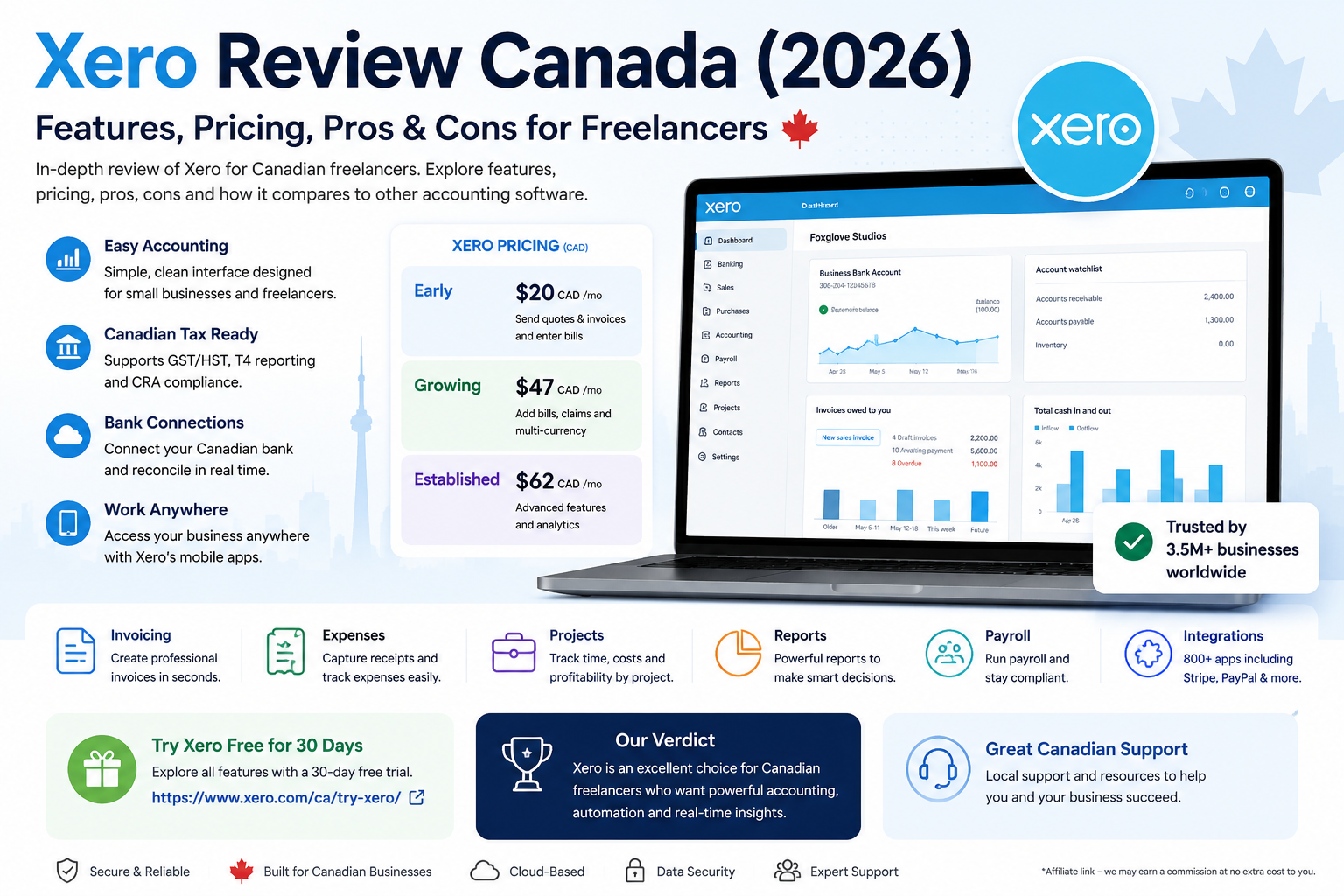
A detailed Xero review Canada should look beyond basic invoicing and ask whether the platform provides enough accounting power, tax support, automation and scalability for Canadian freelancers and small businesses.
Xero is a cloud accounting platform built for businesses that need more than a simple invoice app. It combines invoicing, bills, bank reconciliation, reporting, inventory, sales-tax tracking, purchase orders, contacts, online payments and integrations in one system. Xero also supports connections to more than 21,000 financial institutions globally.
For Canadian freelancers, Xero is particularly attractive when the business is becoming more accounting-heavy. It is less suited to someone who only sends a few simple invoices each month and wants the lowest possible cost.
Xero currently offers three main Canadian plans: Starter at $25 CAD per month, Standard at $60 CAD per month and Premium at $80 CAD per month. A 30-day free trial is available, and Xero is currently advertising an 80% discount for the first three months for eligible new Canadian customers.
Xero Review Canada: Quick Verdict
Xero is a strong choice if you want:
- full cloud accounting;
- professional invoicing;
- bank feeds and reconciliation;
- bills and purchase orders;
- financial reporting;
- inventory tracking;
- GST/HST sales-tax tools;
- collaboration with an accountant or bookkeeper;
- a large app ecosystem;
- room to grow into a more advanced accounting workflow.
Xero is less attractive if you:
- only need basic invoicing;
- want a permanent free plan;
- send fewer than a handful of invoices per month;
- want built-in project tracking without paying for the appropriate plan or add-on;
- want the simplest possible beginner interface.
Best for: growing freelancers and Canadian small businesses that need real accounting.
Best-value plan: Standard for most established businesses.
Best for very small businesses: Starter, provided the invoice and bill limits are sufficient.
Overall verdict: Xero is one of the strongest cloud-accounting options in Canada, but it is more expensive and more accounting-focused than simpler tools such as Wave.
What Is Xero?
Xero is online accounting software designed for small businesses, accountants, bookkeepers and growing companies.
The platform can manage:
- invoices;
- quotes;
- bills;
- bank transactions;
- bank reconciliation;
- sales taxes;
- expenses;
- inventory;
- purchase orders;
- reports;
- customer and supplier contacts;
- online payments;
- projects;
- files and receipts;
- cash-flow visibility;
- integrations with third-party apps.
Xero’s main advantage is that these tools connect to the same accounting system.
A payment received against an invoice, for example, can flow into the bank-reconciliation process and financial reports rather than living in a separate invoicing tool.
That makes Xero better suited to businesses that want their invoicing, bookkeeping and reporting in one place.
Xero Pricing Canada 2026
Xero’s Canadian pricing currently consists of three main plans. Prices are in Canadian dollars and exclude applicable taxes.
| Plan | Regular price | Best for |
|---|---|---|
| Starter | $25 CAD/month | New businesses and self-employed users |
| Standard | $60 CAD/month | Growing small businesses |
| Premium | $80 CAD/month | Established businesses |
Xero subscriptions renew monthly until cancelled. Xero does not currently advertise annual billing as a cheaper alternative on its Canadian pricing pages.
Xero Starter
Starter costs $25 CAD per month.
It includes:
- quotes;
- up to 20 invoices;
- online invoice payments;
- up to five bills;
- bank reconciliation;
- Hubdoc bill and receipt capture;
- real-time reports;
- 30-day cash-flow forecasting;
- performance graphs.
Starter is best for a very small freelance business with limited monthly transaction volume.
Its biggest limitation is the cap of 20 invoices and five bills. A growing freelancer can reach those limits quickly.
Xero Standard
Standard costs $60 CAD per month and is designed for growing small businesses.
It removes the restrictive Starter limits and includes the core Xero accounting workflow:
- invoicing and quotes;
- bill management;
- bank reconciliation;
- Smart Document Capture;
- bank connections;
- inventory;
- reporting;
- payments;
- purchase orders;
- sales tax;
- contacts and files.
For most established Canadian freelancers and small service businesses, Standard is the most balanced plan.
Xero Premium
Premium costs $80 CAD per month and is intended for established businesses.
It includes Xero’s core accounting tools plus additional functionality for more advanced businesses, including project accounting and multi-currency capabilities.
Premium makes the most sense when the business has international transactions, project-accounting requirements or more complex financial reporting needs.
Current Xero Promotion in Canada
Xero is currently advertising 80% off the regular subscription price for the first three months for eligible new Canadian customers purchasing their first organization through Xero.
At the promotional rate, the current advertised prices are:
| Plan | Regular price | Promotional price |
|---|---|---|
| Starter | $25 | $5/month |
| Standard | $60 | $12/month |
| Premium | $80 | $16/month |
The discount applies only during the promotional period. After that, the subscription returns to Xero’s then-current regular price. Add-ons and usage fees may not receive the same discount.
For long-term budgeting, use the regular price rather than the temporary promotional rate.
You can confirm current prices on the official Xero Canada pricing page.
Does Xero Have a Free Plan in Canada?
No. Xero does not offer a permanent free accounting plan.
Instead, businesses can use Xero free for 30 days before choosing a subscription.
This makes Xero less attractive than Wave for a freelancer whose main priority is avoiding a monthly software bill.
However, Xero provides significantly deeper accounting tools than a basic invoice application.
Xero Invoicing
Xero supports online invoicing and quotes across its Canadian plans.
Businesses can:
- create professional invoices;
- send quotes;
- accept online payments through supported payment services;
- automate invoice reminders;
- monitor unpaid invoices;
- connect invoice activity to accounting records.
The main issue is the Starter limit of 20 invoices.
A freelancer billing five clients monthly may be fine. A business sending dozens of invoices each month should move to Standard.
Xero Invoicing Verdict
Xero invoicing is strong, but the platform’s real advantage is how invoicing connects with bank reconciliation, reports, tax records and the rest of the accounting system.
For pure invoicing simplicity, FreshBooks or Wave may feel easier.
For accounting-connected invoicing, Xero is stronger.
Bank Connections and Reconciliation
Bank reconciliation is one of Xero’s strongest features.
Xero can connect bank data from more than 21,000 financial institutions globally and allows users to reconcile imported bank transactions against accounting records.
The reconciliation process helps confirm that:
- customer payments are recorded;
- expenses are categorized;
- bank balances match the books;
- duplicate or missing entries can be identified;
- financial reports remain current.
Xero is particularly useful when a business has many monthly bank transactions and wants bookkeeping to remain synchronized with real-world bank activity.
Bank Reconciliation Verdict
Excellent.
This is one of the main reasons to choose Xero over a basic invoicing platform.
GST/HST and Canadian Sales Tax
Xero includes sales-tax tools designed to automatically calculate applicable tax amounts on transactions and support GST/HST filing workflows.
For Canadian businesses, this can help organize:
- taxable sales;
- tax collected;
- taxable expenses;
- tax paid;
- GST/HST-related reporting.
The business is still responsible for configuring its taxes correctly and ensuring the correct rates apply.
Accounting software should not replace professional tax advice when the business has complicated place-of-supply, registration or filing requirements.
Canadian Tax Verdict
Xero is much stronger than a simple invoice app for tax organization because tax entries feed into the same accounting records used for reporting and reconciliation.
Bills and Accounts Payable
Xero allows businesses to record and manage supplier bills.
Standard and Premium are particularly useful for businesses that:
- receive frequent supplier bills;
- need to track accounts payable;
- want to schedule bill payments;
- need visibility into upcoming obligations;
- use purchase orders.
Starter allows only five bills, which is restrictive for businesses with regular suppliers.
Hubdoc and Receipt Capture
Hubdoc is included with Xero Starter, Standard and Premium when connected to the Xero subscription.
Hubdoc helps businesses capture bills and receipts and store supporting documents online.
This can reduce manual data entry and improve document organization.
For freelancers who regularly collect receipts, supplier invoices and expense documentation, this is a meaningful advantage over manually uploading everything at tax time.
Xero Reporting
Xero includes real-time accounting reports across its plans.
Reports can help businesses monitor:
- profit and loss;
- cash flow;
- balance-sheet information;
- outstanding invoices;
- bills;
- business performance;
- financial trends.
Xero also includes cash-flow forecasting and performance visualization. Starter includes a 30-day forecast, while higher plans offer broader analytics capabilities.
Reporting Verdict
Xero is significantly stronger than basic invoicing software.
This is one of the key reasons it works well for businesses that collaborate with bookkeepers or accountants.
Inventory
Inventory functionality is included among Xero’s core accounting features.
Businesses can track stock items and use inventory information in invoices and orders.
Xero is not necessarily a replacement for a specialized warehouse or enterprise inventory-management platform, but it is useful for small businesses selling products alongside services.
Projects and Time Tracking
Xero Projects provides job tracking, project accounting, budgeting, quoting, invoicing, time recording and cost tracking.
On some plans, Projects can be added as an optional feature starting from $10 per month.
This makes Xero capable of serving consultants, contractors and project-based businesses, although FreshBooks remains simpler when time tracking is the centre of the workflow.
Expense Claims
Xero also offers expense-claim functionality for businesses that need employees or team members to submit and reimburse business expenses.
On eligible Canadian plans, this is available as an optional add-on starting from $5 per month.
A solo freelancer may not need it, but it becomes more useful as a business adds staff.
Xero Integrations
Xero has a broad ecosystem of third-party integrations through the Xero App Store.
Integrations can extend Xero into areas such as:
- ecommerce;
- payments;
- inventory;
- CRM;
- payroll;
- time tracking;
- reporting;
- expense management;
- project management.
This is one of Xero’s strongest long-term advantages.
A business can keep Xero as the accounting core while adding specialized applications around it.
Accountant and Bookkeeper Collaboration
Xero is built around cloud collaboration.
Businesses can give advisors access so the business owner and accountant can work from the same financial data without repeatedly exporting spreadsheets or emailing backup files.
This is particularly valuable for growing Canadian businesses that want professional bookkeeping while retaining access to their own financial dashboard.
Xero Mobile App
Xero provides a mobile accounting app so users can manage business tasks while away from a desktop.
The app is useful for checking financial activity, managing invoices and monitoring business information.
For detailed bookkeeping and reporting, the desktop interface remains more practical.
Xero Ease of Use
Xero is modern and relatively clean for full accounting software, but it still contains more accounting terminology than Wave, FreshBooks or Bonsai.
A new freelancer may need to understand concepts such as:
- chart of accounts;
- reconciliation;
- accounts payable;
- purchase orders;
- sales-tax treatment;
- reporting periods.
That learning curve is the tradeoff for having a more complete accounting system.
Xero itself positions its software around automated administration, cloud access and real-time collaboration.
Xero Pros and Cons
Xero Pros
- Strong cloud accounting
- Excellent bank reconciliation
- Professional invoicing
- Bills and purchase orders
- Hubdoc receipt capture
- GST/HST sales-tax tools
- Inventory
- Strong financial reporting
- Accountant collaboration
- Large app ecosystem
- Project-accounting options
- Multi-currency functionality on Premium
- 30-day trial
Xero Cons
- No permanent free plan
- Starter is limited to 20 invoices
- Starter is limited to five bills
- Standard costs $60 CAD per month
- Premium costs $80 CAD per month
- Some features require add-ons
- More complex than Wave
- Can be excessive for invoice-only freelancers
- Project and expense tools can increase the total cost
Who Should Use Xero in Canada?
Xero is best for:
- established freelancers;
- consultants;
- growing small businesses;
- businesses with accountants or bookkeepers;
- businesses with many monthly bank transactions;
- businesses needing purchase orders;
- businesses selling products;
- companies using multiple business apps;
- businesses that need real accounting rather than only invoicing.
Who Should Not Use Xero?
Xero may not be the best choice if you:
- only send a few invoices;
- need completely free accounting software;
- have very simple finances;
- want the easiest possible invoicing interface;
- do not need reconciliation or financial reports.
Wave can be a better starting point for businesses with very simple requirements.
FreshBooks can be easier for service businesses focused on time tracking and client billing.
Xero vs Wave
Wave is better for freelancers who want free or low-cost invoicing and simple bookkeeping.
Xero is better for businesses that need:
- stronger reconciliation;
- bills;
- purchase orders;
- inventory;
- reports;
- accountant collaboration;
- integrations;
- more sophisticated bookkeeping.
Read our Wave Review for Freelancers in Canada for a closer look at the simpler alternative.
Xero vs QuickBooks
Xero and QuickBooks are more direct competitors because both are full accounting platforms.
Xero is particularly strong for:
- bank reconciliation;
- cloud collaboration;
- integrations;
- straightforward accounting workflows.
QuickBooks remains strong for businesses that want deep accounting functionality and familiarity among accountants.
Read our Xero vs QuickBooks Canada comparison.
Xero vs Zoho Books
Zoho Books is generally less expensive and has strong automation features.
Xero is attractive for businesses that value its accounting ecosystem, bank reconciliation and app integrations.
For businesses mainly focused on price, invoicing automation and Canadian tax workflows, Zoho Books deserves serious consideration.
Review the Zoho Books Pricing Canada guide.
Try Zoho Books for Canadian invoicing and accounting.
Xero vs FreshBooks
FreshBooks is usually easier for:
- hourly freelancers;
- consultants;
- client projects;
- proposals;
- retainers;
- service-based billing.
Xero is usually stronger for:
- bookkeeping;
- bank reconciliation;
- bills;
- inventory;
- purchase orders;
- accounting reports.
Read our FreshBooks Review Canada for the invoice-focused alternative.
Is Xero Worth It for Canadian Freelancers?
Xero is worth paying for when the freelancer has moved beyond basic invoicing.
The Standard plan at $60 CAD per month can make sense when the business needs regular bank reconciliation, accounts payable, reporting, inventory or accountant collaboration.
For a freelancer sending ten invoices per month with almost no expenses, Xero may be more software than necessary.
For a business processing dozens or hundreds of transactions, working with an accountant and needing accurate monthly reports, Xero becomes much easier to justify.
Frequently Asked Questions
How much does Xero cost in Canada?
Xero currently costs $25 CAD per month for Starter, $60 for Standard and $80 for Premium.
Does Xero offer a free trial?
Yes. Xero offers a 30-day free trial.
Does Xero have a free plan?
No. Xero does not currently offer a permanent free plan.
How many invoices can I send with Xero Starter?
Starter supports up to 20 invoices.
How many bills can I enter with Starter?
Starter supports up to five bills.
Does Xero support GST/HST?
Xero includes sales-tax tools that can calculate applicable taxes on transactions and support GST/HST accounting workflows.
Does Xero include receipt scanning?
Yes. Hubdoc bill and receipt capture is included with Xero Starter, Standard and Premium when connected to the subscription.
Does Xero support bank reconciliation?
Yes. Bank reconciliation is a core Xero feature.
Does Xero have inventory?
Yes. Inventory is included among Xero’s accounting features.
Can Xero track projects?
Yes. Xero Projects supports job tracking, project accounting, budgeting, time and cost tracking. Availability depends on the plan or add-on configuration.
Which Xero plan is best for freelancers?
Starter can work for a very small freelancer with fewer than 20 invoices and five bills. Standard is the stronger choice for an established freelancer because it removes those restrictive transaction limits.
Xero Review Canada: Final Verdict
This Xero review Canada shows that Xero is not the cheapest or simplest accounting platform, but it is one of the strongest options for businesses that need serious cloud accounting.
Starter is suitable for a very small business, but its 20-invoice and five-bill limits restrict its usefulness.
Standard is the best overall Xero plan for most growing freelancers and small businesses. It provides the core accounting system without Starter’s restrictive transaction limits.
Premium is appropriate for established businesses that require more advanced capabilities such as multi-currency and project accounting.
Choose Xero if you value bank reconciliation, accounting reports, bills, inventory, purchase orders, accountant collaboration and app integrations.
Choose Wave if your main priority is simple, low-cost invoicing.
Choose FreshBooks if time tracking and client billing matter more than full accounting.
Choose Zoho Books if you want a lower-cost accounting platform with strong automation.
Best Xero plan for beginners: Starter.
Best Xero plan overall: Standard.
Best for established businesses: Premium.
Overall rating: 8.7/10.
Xero is a strong long-term accounting platform for Canadian freelancers and small businesses that have outgrown basic invoicing tools.
Check the latest plans and promotions on the official Xero Canada pricing page.
Pricing and features were checked against Xero Canada’s official website on August 9, 2026. Xero can change pricing, promotions and features over time.