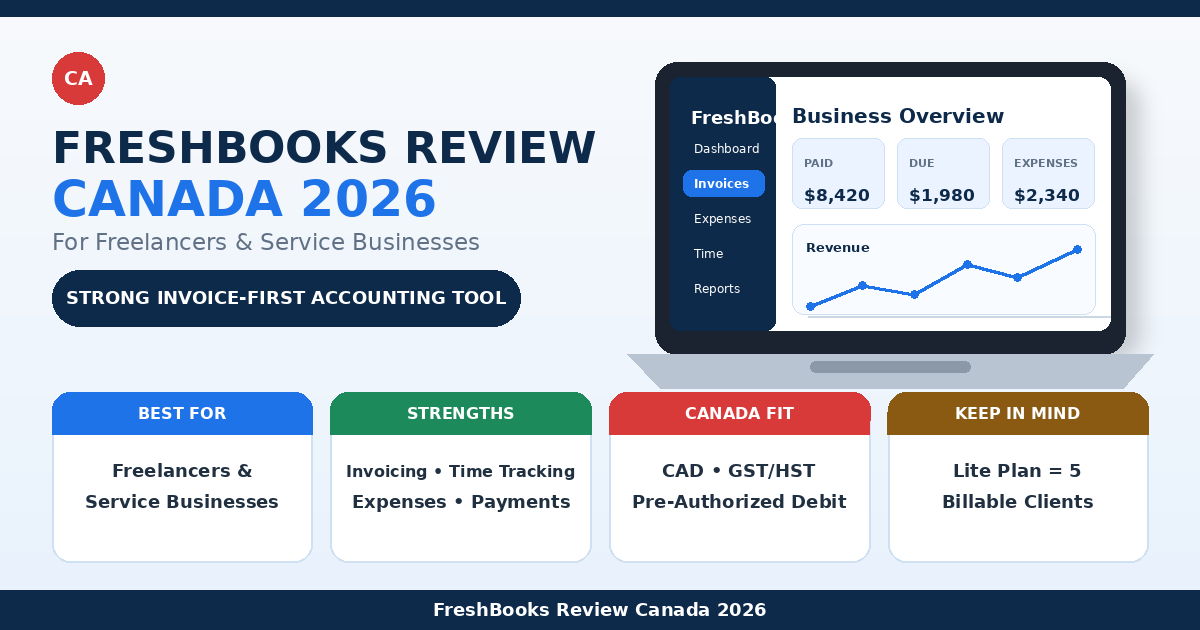
This FreshBooks review Canada guide examines whether FreshBooks is worth paying for in 2026. FreshBooks is designed primarily for freelancers, consultants, contractors, agencies, and service businesses that need professional invoicing, online payments, time tracking, expense management, and straightforward accounting tools.
FreshBooks is easier to approach than many full accounting platforms, but it offers more financial structure than a basic invoicing app. Canadian users can create invoices in CAD, apply sales taxes, accept online payments, reconcile bank transactions on eligible plans, and give an accountant access.
Its main limitation is pricing based partly on billable-client limits. The Lite plan supports only five billable clients, while Plus supports 50. Premium and Select allow unlimited billable clients. Both active and archived clients count toward the plan limit.
Disclosure: This article contains an affiliate link. If you sign up through it, we may earn a commission at no additional cost to you.
FreshBooks Review Canada: Quick Verdict
FreshBooks is a strong choice for Canadian freelancers and service businesses that want invoicing and accounting in one relatively simple platform.
It is especially useful for businesses that:
- send professional invoices;
- bill clients by time;
- create estimates and proposals;
- track expenses and receipts;
- accept credit-card and bank payments;
- need recurring invoices;
- want financial reports;
- work with an accountant.
FreshBooks is less suitable for product businesses that need advanced inventory, businesses with complex payroll requirements, or freelancers who only need free basic invoicing.
| Category | FreshBooks verdict |
|---|---|
| Best for | Freelancers and service-based businesses |
| Starting regular price | Lite: $26 CAD/month |
| Free trial | 30 days |
| Lite client limit | 5 billable clients |
| Plus client limit | 50 billable clients |
| Premium client limit | Unlimited |
| Invoicing | Excellent |
| Time tracking | Yes |
| Recurring invoices | Yes |
| Online payments in Canada | Yes |
| Bank reconciliation | Plus and higher |
| Accountant access | Plus and higher |
| Project profitability | Premium and Select |
| GST/HST invoice support | Manual sales-tax rates |
| Full automatic GST/HST filing | No |
| Overall rating | 8.4/10 for service businesses |
Our verdict: FreshBooks is worth considering when invoicing, payment collection, time tracking, expenses, and financial reporting are central to your business. It provides less value when you have more clients than your plan allows or only need a free invoice generator.
View current FreshBooks Canada pricing.
What Is FreshBooks?
FreshBooks is cloud-based invoicing and accounting software originally built for small business owners who wanted a simpler way to bill clients and track their finances.
The platform now includes:
- invoices;
- estimates;
- proposals;
- recurring billing;
- client retainers;
- online payments;
- time tracking;
- projects;
- expenses;
- receipt scanning;
- bank imports;
- bank reconciliation;
- accounting reports;
- accountant access;
- bills and vendors on higher plans.
A typical FreshBooks workflow looks like this:
- Add a client.
- Create an estimate or proposal.
- Track project time and expenses.
- Convert unbilled work into an invoice.
- Accept payment online.
- Reconcile the payment with bank activity.
- Review income, expenses, and accounting reports.
This makes FreshBooks more than an invoice generator, but generally easier to manage than accounting-heavy software designed for larger companies.
FreshBooks Pricing in Canada for 2026
FreshBooks currently offers four Canadian plans: Lite, Plus, Premium, and Select.
The company frequently runs temporary promotions, so the discounted amount shown on the pricing page may change. The table below uses the regular list prices displayed by FreshBooks Canada rather than a short-term promotion.
| Plan | Regular monthly price | Billable clients | Best for |
|---|---|---|---|
| Lite | $26 CAD/month | 5 | New freelancers with a small client list |
| Plus | $42 CAD/month | 50 | Established freelancers needing accounting features |
| Premium | $72 CAD/month | Unlimited | Growing service businesses and agencies |
| Select | Custom pricing | Unlimited | Larger businesses needing advanced support |
FreshBooks also offers yearly subscriptions with a 10% discount. Every new account begins with a 30-day trial, and subscription charges do not begin until the trial ends unless the user chooses a separate promotional purchase option.
FreshBooks Lite
Lite includes:
- invoices for up to five billable clients;
- unlimited estimates;
- expense tracking;
- time tracking;
- recurring invoices;
- payment reminders;
- online credit-card payments;
- Apple Pay and Google Pay;
- pre-authorized debit;
- Buy Now, Pay Later;
- tax-time reports;
- bank imports.
Lite can work for a new freelancer with only a few regular clients.
The main problem is the five-client limit. Both active and archived clients count, so Lite can become restrictive quickly for freelancers who complete many one-time projects.
FreshBooks Plus
Plus is the most practical FreshBooks plan for many established freelancers.
It increases the client limit to 50 and adds:
- proposals;
- electronic signatures;
- client retainers;
- accounting reports;
- bank reconciliation;
- receipt scanning;
- accountant access;
- chart of accounts;
- general ledger;
- trial balance;
- balance sheet;
- journal entries.
Bank reconciliation and FreshBooks’ double-entry accounting tools are available on Plus, Premium, and Select plans. Up to ten accountant users can be invited at no additional cost on those plans.
FreshBooks Premium
Premium removes the billable-client limit and adds:
- project profitability;
- bills and vendors;
- accounts payable;
- bill receipt scanning;
- automatic line-item capture;
- customized email templates;
- more advanced project and expense tools.
Project Profitability helps track project revenue, costs, capacity, team utilization, and margins. This feature is limited to Premium and Select.
Premium is best suited to agencies and service businesses that need unlimited clients and deeper financial visibility.
FreshBooks Select
Select uses custom pricing and is designed for larger businesses.
It includes:
- unlimited billable clients;
- lower payment-processing rates;
- Advanced Payments;
- two team-member accounts;
- dedicated support;
- customized onboarding;
- data-migration assistance;
- removal of FreshBooks branding;
- advanced receipt scanning.
Select makes sense only when the additional payment features, support, and team access justify custom pricing.
FreshBooks Add-On Costs
FreshBooks lists the following standard add-ons:
- additional team members: $13 CAD per month per person;
- Advanced Payments: $25 CAD per month;
- payroll through PaymentEvolution: price available through consultation.
Additional users can make the total cost significantly higher for a growing team.
Does FreshBooks Have a Free Plan?
FreshBooks does not offer a permanent free plan for normal business use.
Every new business receives a 30-day trial. The trial includes access to nearly all FreshBooks features so users can test invoicing, expenses, reports, projects, and other tools before choosing a paid plan.
A credit card is not charged for the subscription until the trial ends. FreshBooks also runs separate promotional offers, but those offers may require purchasing a plan rather than beginning with the standard trial.
Freelancers who require permanently free invoicing should compare FreshBooks with our Wave Review for Freelancers in Canada.
FreshBooks Invoicing Features
Invoicing is FreshBooks’ strongest feature.
Users can:
- customize invoice colours and branding;
- add payment terms;
- add deposits;
- create payment schedules;
- add tracked time;
- add billable expenses;
- apply discounts;
- add sales taxes;
- send recurring invoices;
- charge late fees;
- schedule payment reminders;
- accept online payments;
- save reusable items and services;
- view when a client has opened an invoice.
FreshBooks can create an invoice directly from unbilled time and expenses assigned to a client or project. Once added to the invoice, those entries are marked as billed.
This reduces manual work for consultants and contractors who charge by the hour or regularly reimburse business expenses.
Recurring Invoices and Client Retainers
FreshBooks supports recurring invoice templates for businesses that bill clients on a regular schedule.
Recurring invoices can be useful for:
- monthly consulting;
- bookkeeping services;
- website maintenance;
- marketing retainers;
- coaching packages;
- recurring design work;
- support agreements.
FreshBooks Plus and higher also include client retainers. A retainer can generate invoices repeatedly, track included hours, and bill excess time separately.
This makes FreshBooks suitable for freelancers whose revenue includes both one-time projects and recurring client agreements.
FreshBooks Payments in Canada
FreshBooks Payments powered by Stripe supports several Canadian payment methods.
Clients can pay using:
- Visa;
- Mastercard;
- Discover and other supported cards;
- American Express;
- Apple Pay;
- Google Pay;
- pre-authorized debit;
- Buy Now, Pay Later through Affirm.
For standard credit and debit cards, FreshBooks currently lists a processing fee of 2.9% plus $0.30 CAD. American Express and managed payment methods are listed at 3.5% plus $0.30 CAD. Pre-authorized debit is 1%, with caps available on selected plans.
Additional charges can include:
- 2% foreign-exchange fee;
- 0.8% international-card fee;
- 1% instant-payout fee;
- $15 CAD dispute fee;
- $5 CAD failed PAD fee.
Transaction fees are automatically recorded as FreshBooks expenses. Processing fees are not returned when a payment is refunded.
Canadian businesses that want to accept pre-authorized debit need Canada selected in their FreshBooks business settings and a Canadian bank account connected through Stripe.
Time Tracking and Project Billing
FreshBooks includes a built-in timer and manual time entry.
Users can:
- track billable and non-billable time;
- assign time to clients and projects;
- apply different hourly rates;
- track time through mobile applications;
- review unbilled hours;
- convert time entries into invoices;
- invite team members and contractors;
- compare tracked time with project budgets.
FreshBooks works particularly well for:
- consultants;
- lawyers;
- designers;
- developers;
- virtual assistants;
- marketing professionals;
- contractors;
- agencies.
Premium and Select add Project Profitability, which compares project revenue with labour and expenses.
For freelancers who need stronger task management, contracts, and project workflow, read our Bonsai vs FreshBooks Canada comparison.
Estimates and Proposals
All FreshBooks paid plans include estimates.
An estimate can be sent to a client and converted into an invoice after approval.
Plus, Premium, and Select add proposals. Proposals can include:
- descriptive text;
- images;
- service details;
- pricing;
- project scope;
- terms;
- electronic signatures.
FreshBooks proposals are useful for service businesses, but FreshBooks does not provide the same dedicated contract and client-workflow system as Bonsai.
Read our complete Bonsai Review Canada when proposals, contracts, tasks, and project delivery matter more than accounting.
Expense Tracking and Receipt Scanning
FreshBooks allows users to:
- create expenses manually;
- import expenses from bank accounts;
- categorize business costs;
- attach receipts;
- mark expenses as billable;
- assign expenses to clients;
- add billable expenses to invoices;
- export expense data.
Receipt scanning is available to Canadian users on trials and on Plus, Premium, and Select plans. FreshBooks can extract receipt information automatically, although processing may take from several minutes to several hours depending on the file.
Premium and Select add more advanced bill-receipt capture with multiple line items.
Bank Connections and Reconciliation
FreshBooks can import transactions from connected bank and credit-card accounts.
Bank reconciliation allows the user or accountant to match imported bank transactions with FreshBooks entries, including:
- invoice payments;
- expenses;
- bill payments;
- income;
- refunds;
- transfers;
- owner’s equity.
This helps keep the balance sheet aligned with actual bank balances.
Bank reconciliation is available during the trial and on Plus, Premium, and Select plans. FreshBooks recommends reconciling at least once per month.
One limitation is that bank reconciliation works in a single currency for each connected account. Foreign-currency transactions may require additional review or accountant assistance.
FreshBooks Accounting Reports
Plus, Premium, and Select include double-entry accounting tools and reports such as:
- profit and loss;
- balance sheet;
- cash flow;
- general ledger;
- chart of accounts;
- trial balance;
- journal entry report;
- sales-tax summary;
- accounts aging;
- bank reconciliation summary.
FreshBooks reports can be exported, but each report can only be run in one currency at a time.
FreshBooks is more accounting-oriented than Bonsai or a basic invoice app. However, it is not as deep as QuickBooks for inventory, payroll, advanced reporting, and complex bookkeeping.
Read our FreshBooks vs QuickBooks Canada comparison for a detailed breakdown.
GST/HST Support in FreshBooks
FreshBooks allows businesses to create and save sales-tax rates.
Sales taxes can be added to:
- invoices;
- invoice items;
- estimates;
- proposals;
- expenses;
- bills;
- credit notes;
- services;
- other income.
Users can apply more than one tax where necessary, which can be useful for Canadian provinces that require a combination of GST and PST.
FreshBooks records sales-tax amounts and provides tax-related reports, but it does not automatically determine the correct Canadian tax rate or file GST/HST returns for the business. The user remains responsible for configuring the appropriate tax and meeting CRA requirements.
Canadian subscribers should also expect FreshBooks to add the applicable GST, HST, PST, or QST to the FreshBooks subscription itself based on the billing address.
FreshBooks Pros and Cons
FreshBooks Pros
- Excellent invoicing tools
- 30-day free trial
- Recurring invoices and retainers
- Automated payment reminders
- Time and expense billing
- Online payments in Canada
- Pre-authorized debit support
- Estimates and proposals
- Bank imports
- Bank reconciliation on Plus and higher
- Accountant access on Plus and higher
- Double-entry reports
- Receipt scanning
- Mobile applications
- Project profitability on Premium and Select
FreshBooks Cons
- No permanent free plan
- Lite is limited to five billable clients
- Plus is limited to 50 billable clients
- Archived clients count toward the limit
- Additional team members cost extra
- Premium is significantly more expensive
- Inventory features are limited
- Payroll requires an external provider
- Not as advanced as QuickBooks for complex accounting
- Reports work in one currency at a time
- Payment-processing and foreign-exchange fees may apply
Who Should Use FreshBooks in Canada?
FreshBooks is a strong fit for:
- freelancers;
- consultants;
- contractors;
- designers;
- developers;
- marketers;
- photographers;
- coaches;
- agencies;
- tradespeople;
- other service businesses.
It is particularly useful when the business needs to track time and expenses before billing a client.
FreshBooks may not be the best fit for:
- product businesses with significant inventory;
- businesses needing a fully free plan;
- freelancers with many clients who want a low-cost plan;
- companies requiring advanced payroll;
- businesses with complex multi-currency accounting;
- companies that need deeper enterprise accounting.
FreshBooks vs Bonsai
FreshBooks and Bonsai serve different workflows.
Choose FreshBooks when your priority is:
- invoicing;
- online payments;
- expenses;
- bank reconciliation;
- accounting reports;
- accountant access.
Choose Bonsai when your priority is:
- proposals;
- dedicated contracts;
- client onboarding;
- project tasks;
- workflow management;
- complete project delivery.
FreshBooks is the better invoice-and-accounting platform. Bonsai is the better client-workflow platform.
Read the full Bonsai vs FreshBooks Canada comparison.
FreshBooks vs QuickBooks
FreshBooks is easier for many freelancers and service businesses.
QuickBooks is stronger for:
- inventory;
- payroll integration;
- advanced bookkeeping;
- detailed reports;
- accountant familiarity;
- larger and more complex businesses.
FreshBooks is stronger for:
- simple client billing;
- time tracking;
- estimates;
- project invoicing;
- ease of use.
Read our FreshBooks vs QuickBooks Canada guide.
FreshBooks vs Wave
Wave is the better starting point for freelancers who need free basic invoicing and accounting.
FreshBooks is better for businesses that need:
- time tracking;
- recurring invoices;
- estimates;
- proposals;
- retainers;
- bank reconciliation;
- receipt scanning;
- accountant access;
- stronger reporting.
Wave offers lower entry costs, while FreshBooks provides a more complete service-business workflow.
Read our Wave Review for Freelancers in Canada.
Best FreshBooks Alternatives in Canada
Zoho Books
Zoho Books is a strong alternative for Canadian businesses that want invoicing, bank reconciliation, GST/HST organization, recurring invoices, automation, reports, and broader accounting tools.
It may offer better long-term value for freelancers who need more accounting automation and do not want pricing based primarily on billable-client limits.
For a direct side-by-side breakdown, read our FreshBooks vs Zoho Books Canada comparison.
Review the Zoho Books Pricing Canada guide.
Try Zoho Books for Canadian invoicing and accounting.
Wave
Wave is best for freelancers and very small businesses that want free invoicing and basic accounting.
Bonsai
Bonsai is best for freelancers who need contracts, proposals, projects, tasks, time tracking, and invoicing in one workflow.
QuickBooks Online
QuickBooks is best for growing businesses that need stronger accounting, reports, inventory, payroll options, and accountant collaboration.
Xero
Xero is best for businesses that need cloud accounting, bank reconciliation, reporting, and integrations.
Compare more options in our guide to the best accounting software for small business Canada.
Frequently Asked Questions
Is FreshBooks available in Canada?
Yes. FreshBooks offers Canadian pricing, CAD invoices, Canadian online payments, pre-authorized debit, provincial sales-tax support, and Canadian receipt scanning.
How much does FreshBooks cost in Canada?
The regular monthly prices are $26 CAD for Lite, $42 CAD for Plus, and $72 CAD for Premium. Select uses custom pricing. FreshBooks frequently offers temporary discounts.
Does FreshBooks have a free plan?
No. FreshBooks offers a 30-day free trial but does not provide a permanent free business plan.
Does FreshBooks support GST and HST?
Yes. Businesses can create tax rates and apply GST, HST, PST, or QST to invoices and other transactions. Users must configure the correct rates themselves.
Does FreshBooks file GST/HST returns?
FreshBooks provides sales-tax tracking and reports, but it does not automatically file Canadian GST/HST returns for the user.
Can FreshBooks accept payments in Canada?
Yes. FreshBooks Payments supports Canadian cards, Apple Pay, Google Pay, pre-authorized debit, and Buy Now, Pay Later.
What is the FreshBooks payment-processing fee in Canada?
FreshBooks currently lists 2.9% plus $0.30 CAD for most standard cards. Different fees apply to American Express, managed payments, PAD, international cards, and foreign currency.
Is FreshBooks good for freelancers?
Yes. FreshBooks is particularly strong for freelancers who send invoices, track billable time, record expenses, and accept online payments.
Is FreshBooks better than QuickBooks?
FreshBooks is easier and more focused on client billing. QuickBooks is stronger for advanced accounting, inventory, payroll, and complex bookkeeping.
Is FreshBooks better than Wave?
FreshBooks offers more invoicing, time tracking, proposals, bank reconciliation, and accounting tools. Wave is better when free basic invoicing is the priority.
Which FreshBooks plan is best for freelancers?
Lite can work for freelancers with five or fewer clients. Plus is the best overall plan for many established freelancers because it supports 50 clients and includes proposals, retainers, bank reconciliation, accounting reports, and accountant access.
Can an accountant access FreshBooks?
Yes. Plus, Premium, and Select users can invite up to ten accountants at no extra charge.
FreshBooks Review Canada: Final Verdict
This FreshBooks review Canada analysis shows that FreshBooks remains one of the strongest invoicing and accounting platforms for Canadian freelancers and service businesses.
Its main strengths are professional invoices, recurring billing, time tracking, expense management, Canadian online payments, bank reconciliation, and straightforward financial reports.
The Lite plan works only for businesses with a very small client list. Plus is the best overall plan for many established freelancers because it supports 50 clients and adds proposals, retainers, accounting reports, bank reconciliation, receipt scanning, and accountant access.
Premium is better for agencies and growing service businesses that need unlimited clients, project profitability, bills, vendors, and deeper expense management.
FreshBooks is worth paying for when invoicing, payment collection, time tracking, and financial organization save meaningful administrative time. It is less attractive for freelancers who need free invoicing, manage many clients on a small budget, or require advanced inventory and accounting.
Final rating: 8.4/10 for freelancers and service businesses.
Best overall plan for established freelancers: Plus.
Best reason to choose FreshBooks: excellent invoicing connected to time, expenses, payments, and accounting.