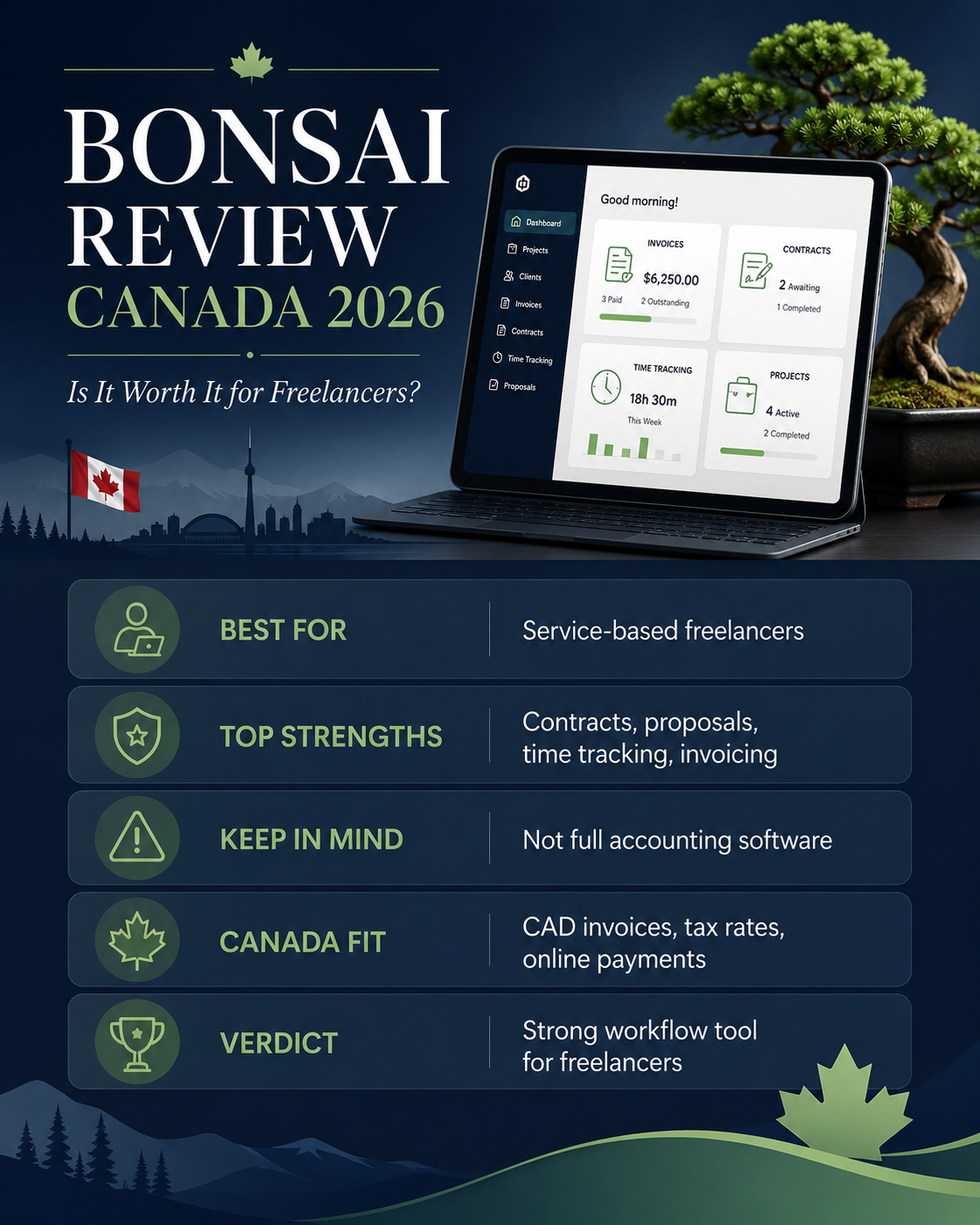
This Bonsai review Canada guide examines whether Bonsai is a practical choice for Canadian freelancers in 2026. Bonsai combines proposals, contracts, client management, projects, time tracking, invoicing, payments, and expense tracking in one platform.
That combination makes Bonsai different from traditional accounting software. It is primarily designed to manage the complete client workflow—from the first proposal to the final invoice—rather than provide full bookkeeping and Canadian tax filing.
For consultants, designers, developers, marketers, writers, coaches, virtual assistants, and small agencies, that connected workflow can replace several separate applications. Businesses that mainly need bookkeeping, bank reconciliation, detailed tax reports, payroll, or inventory should also compare the best accounting software for small business Canada before choosing Bonsai.
Disclosure: This article contains an affiliate link. If you sign up through it, we may earn a commission at no additional cost to you.
Bonsai Review Canada: Quick Verdict
Bonsai is a strong option for service-based freelancers who want to manage proposals, contracts, projects, billable time, invoices, and client communication from one account.
Its biggest advantage is workflow. Client information does not have to be recreated in separate proposal, contract, project management, time-tracking, and invoicing tools.
Its main limitation for Canadian users is accounting depth. Bonsai can create invoices in different currencies, apply taxes to invoice line items, display a tax ID, track income and expenses, and accept payments in Canada. However, Bonsai’s public documentation does not present the platform as a complete CRA filing or GST/HST return-preparation system.
Overall rating: 8.2/10 for service-based freelancers.
Best for: freelancers and consultants who need an integrated client and project workflow.
Not ideal for: businesses that need full Canadian accounting, inventory, payroll, or advanced tax reporting.
What Is Bonsai?
Bonsai is an online business management platform for freelancers, consultants, agencies, and service businesses.
It connects several stages of client work:
- A lead or client is added to the CRM.
- A proposal is prepared and sent.
- The client accepts the proposal.
- A contract is signed.
- A project is created.
- Tasks and billable time are tracked.
- Expenses and time entries are added to an invoice.
- The client receives and pays the invoice.
Clients generally do not need a Bonsai account to accept proposals, sign contracts, or pay invoices. An account may be required in specific bank-verification situations, but the standard client experience does not require registration.
This connected process is valuable for freelancers who currently use separate applications for contracts, project management, time tracking, and billing.
Bonsai Pricing in 2026
Bonsai currently offers four main paid plans: Basic, Essentials, Premium, and Elite.
The official pricing page displays both monthly billing and reduced monthly rates when billed annually. It uses a dollar symbol, so Canadian customers should confirm the billing currency and any card-conversion costs during checkout.
| Plan | Monthly billing | Annual billing | Best for |
|---|---|---|---|
| Basic | $15/user/month | $9/user/month | Projects, tasks, CRM, and time tracking |
| Essentials | $25/user/month | $19/user/month | Freelancers needing invoices, contracts, and payments |
| Premium | $39/user/month | $29/user/month | Advanced projects, reporting, and integrations |
| Elite | $59/user/month | $49/user/month | Teams needing permissions and advanced controls |
These are the prices displayed by Bonsai on July 30, 2026. The Elite plan currently requires at least three users.
Basic Plan
Basic includes:
- time tracking;
- task management;
- unlimited projects;
- CRM;
- a service library;
- mobile applications;
- unlimited clients.
Basic does not include invoices and payments. It can work for someone who wants project and time management but already uses another invoicing platform.
For most people reading a Bonsai review because they need invoices, Basic will be too limited.
Essentials Plan
Essentials is the practical starting point for most solo freelancers.
It includes everything in Basic, plus:
- invoices and payments;
- proposals and contracts;
- templates;
- forms and questionnaires;
- scheduling;
- a client portal;
- expense tracking;
- income tracking.
A freelancer who wants to manage the complete client workflow will normally need at least Essentials.
Premium Plan
Premium adds:
- project insights;
- workload management;
- Gantt views;
- a deals pipeline;
- custom fields;
- client tasks and messaging;
- profit and productivity reports;
- removal of Bonsai branding;
- QuickBooks, Zapier, Calendly, and Google integrations.
Premium is more useful for growing freelancers, small teams, and agencies that need advanced project visibility and reporting.
Elite Plan
Elite adds advanced controls such as:
- custom permissions;
- timesheet locking;
- expense markups;
- Xero integration;
- custom data import.
It is designed more for teams than individual freelancers.
See the official Bonsai pricing page for the latest plan details and current trial offer.
Does Bonsai Have a Free Plan?
Bonsai provides a seven-day trial with access to the platform before the user chooses a paid subscription.
There is also a free Limited plan, but it is not a functional free invoicing plan.
The Limited plan allows users to manage projects and tasks, track time, view existing documents, record income and expenses, and manage client records. It does not allow users to create or send new invoices, proposals, or contracts.
Therefore, a Canadian freelancer who wants to create and send new invoices through Bonsai should expect to pay for Essentials or a higher plan.
Bonsai Features for Canadian Freelancers
Professional Invoicing
Bonsai supports:
- one-time invoices;
- scheduled invoices;
- recurring invoices;
- subscription invoices.
Invoices can include:
- a business logo;
- customized layouts;
- payment terms;
- late fees;
- taxes;
- a tax or VAT ID;
- timesheets;
- billable expenses;
- online or offline payment options.
Taxes can be applied to individual line items, and the invoice preview displays the selected tax rate and tax amount. A tax ID can also be displayed on an individual invoice or saved as the default for future invoices.
Recurring and Subscription Invoices
Recurring and subscription invoices serve different purposes.
A recurring invoice is duplicated according to a weekly, biweekly, monthly, or yearly schedule. The freelancer can review the draft or configure it to send automatically.
A subscription invoice automatically charges a client’s saved payment method after the first authorized payment. Subscription invoices currently support credit and debit cards through Bonsai Payments or Stripe, but not PayPal or ACH.
Subscription billing can be useful for:
- monthly retainers;
- coaching packages;
- website maintenance;
- ongoing design services;
- recurring consulting;
- marketing management;
- support agreements.
Proposals and Contracts
Bonsai proposals help freelancers present project scope, services, timelines, prices, and optional packages before work begins.
After a proposal is accepted, the freelancer can continue with a contract and project without rebuilding the client information.
Contracts can be created from templates and signed electronically. Bonsai also allows freelancers to request an upfront deposit through a proposal when Bonsai Payments is used. The deposit feature is available in Canada.
This is one of Bonsai’s main advantages over invoice-only tools.
Time Tracking
Bonsai includes a timer and manual time entry.
Time entries can be assigned to a project and task and classified as:
- non-billable;
- unbilled;
- billed.
Unbilled time can be transferred to an invoice. This helps freelancers create accurate bills without manually calculating hours from a separate time-tracking application.
This feature is particularly useful for:
- consultants;
- developers;
- designers;
- marketers;
- lawyers;
- virtual assistants;
- bookkeepers;
- other professionals who charge hourly rates.
Project and Task Management
Bonsai projects connect:
- clients;
- tasks;
- deadlines;
- tracked time;
- budgets;
- expenses;
- invoices;
- documents;
- communication.
Project budgets can be based on a fixed fee or tracked hours. This gives freelancers a clearer view of whether work is approaching or exceeding the agreed budget.
Premium users receive deeper project insights, workload tools, Gantt views, and productivity reporting.
Income and Expense Tracking
Essentials includes income and expense tracking. Billable project expenses can also be added directly to an invoice.
Bonsai’s invoice reports can track totals, payments, due dates, outstanding amounts, and invoice status. Reports can also be exported as CSV files.
These features are useful for day-to-day business organization, but they should not be confused with complete Canadian bookkeeping.
Does Bonsai Work in Canada?
Yes. Canadian freelancers can use Bonsai for client management, proposals, contracts, projects, time tracking, invoices, and online payments.
The key Canadian considerations are currency, payment availability, foreign-exchange costs, and GST/HST requirements.
Canadian-Dollar Invoices
Bonsai supports more than 100 invoice currencies.
Users can select a default company currency and change the currency for an individual invoice. Canadian freelancers can therefore issue invoices in CAD and use another supported currency for selected international clients.
Bonsai Payments in Canada
Bonsai Payments is available in Canada, the United States, the United Kingdom, and Australia. Instant payouts are currently limited to US users.
Bonsai also supports payment integrations such as Stripe and PayPal, subject to provider availability.
The official help centre currently lists standard card processing through Bonsai Payments at 2.9% plus $0.30, with different fees for American Express and bank transfers. Canadian users should confirm the exact currency and applicable local terms before activating payments.
Foreign-Exchange Fees
Bonsai currently applies a 2.5% foreign-exchange fee when the contractor’s payment-country currency differs from the invoice currency.
For a payment account registered in Canada, Bonsai recommends using CAD invoices when avoiding the FX fee is the priority.
This matters for Canadian freelancers who regularly invoice US or international clients.
GST/HST on Bonsai Invoices
Bonsai allows users to create tax rates, apply tax to invoice line items, show the tax amount, and display a tax ID.
That functionality can help a registered Canadian freelancer prepare an invoice that shows GST or HST.
However, the correct tax rate depends on the place-of-supply rules and the type and location of the customer. The CRA also requires specific invoice information depending on the transaction amount. Bonsai does not decide the correct Canadian tax treatment for the user.
Is Bonsai Canadian Accounting Software?
Bonsai is better described as freelance business and project management software with invoicing and financial tracking.
It is not the strongest choice for businesses that need:
- complete bank reconciliation;
- formal GST/HST return preparation;
- payroll;
- inventory;
- advanced financial statements;
- detailed accountant workflows;
- complete Canadian tax reporting.
For those requirements, compare Bonsai with the best accounting software for small business Canada.
Bonsai Pros and Cons
Bonsai Pros
- Proposals, contracts, projects, time, and invoices in one platform
- Strong workflow for service-based freelancers
- Recurring and subscription billing
- Time entries can be added to invoices
- Client portal and reusable templates
- More than 100 invoice currencies
- Bonsai Payments is available in Canada
- Tax rates and a tax ID can be shown on invoices
- Project and budget tracking
- Clients usually do not need a Bonsai account
Bonsai Cons
- Basic does not include invoicing
- Essentials is required for the complete freelance workflow
- No fully functional permanent free invoicing plan
- Not a complete Canadian accounting platform
- GST/HST rates must be configured and verified by the user
- Payment-processing and FX fees may apply
- More expensive than a simple invoice-only tool
- Advanced reports and integrations require higher plans
- Limited fit for inventory-based businesses
Who Should Use Bonsai in Canada?
Bonsai is a strong fit for:
- consultants who send proposals and contracts;
- designers and developers who bill by time or project;
- marketing professionals managing several clients;
- writers and virtual assistants working on retainers;
- coaches offering recurring packages;
- freelancers who want fewer disconnected tools;
- small agencies that need project and workload visibility.
Bonsai may not be the best fit for:
- beginners who only need free invoices;
- retailers and product businesses;
- businesses with complex inventory;
- companies needing payroll;
- businesses that require full bookkeeping;
- users who want direct GST/HST return preparation;
- freelancers already satisfied with separate project and accounting tools.
Bonsai vs Wave for Canadian Freelancers
Bonsai and Wave serve different priorities.
Bonsai is stronger for:
- proposals;
- contracts;
- project management;
- time tracking;
- client workflow;
- recurring client work.
Wave is stronger for freelancers who want a simpler invoicing and accounting starting point with fewer project-management features.
A new freelancer who only sends occasional invoices may find Bonsai more complex than necessary. An established consultant managing proposals, contracts, time, projects, and retainers may gain more value from Bonsai.
If you want a simpler invoicing-first alternative, read our Wave Review for Freelancers in Canada.
Bonsai vs Zoho Books
Bonsai focuses on managing client work.
Zoho Books focuses more heavily on accounting, bank reconciliation, tax organization, financial reports, vendors, and bookkeeping automation.
Choose Bonsai when your priority is:
- proposals and contracts;
- client onboarding;
- projects and tasks;
- billable time;
- project delivery;
- client communication.
Choose Zoho Books when your priority is:
- accounting;
- Canadian GST/HST organization;
- bank reconciliation;
- recurring invoices;
- financial statements;
- accountant collaboration;
- business tax records.
Zoho Books Canada currently offers a permanent free plan for eligible businesses with annual revenue up to C$50,000, and its Canadian plans include accounting and tax-oriented features not found in Bonsai’s core workflow.
Try Zoho Books for Canadian invoicing and accounting
Best Bonsai Alternatives in Canada
Wave
Wave is a practical alternative for freelancers who mainly need invoicing and basic accounting and do not require Bonsai’s proposal, contract, and project workflow.
You can also compare Wave and Zoho Books in our Wave vs Zoho Books Canada guide.
Zoho Books
Zoho Books is a better alternative for Canadian freelancers who need accounting, bank reconciliation, reports, recurring invoices, and stronger GST/HST organization.
FreshBooks
FreshBooks is designed for service businesses that need invoicing, estimates, time tracking, expenses, payments, and client billing.
QuickBooks Online
QuickBooks is more suitable for businesses that need deeper bookkeeping, accountant collaboration, detailed reports, payroll options, and inventory features.
Xero
Xero is a cloud-accounting alternative for growing businesses that prioritize bank reconciliation, reporting, integrations, and accountant access.
For a deeper accounting-focused comparison, read our Zoho Books vs QuickBooks Canada guide.
Frequently Asked Questions
Is Bonsai available in Canada?
Yes. Canadian freelancers can use Bonsai for proposals, contracts, projects, time tracking, invoices, and online payments.
Can Bonsai create invoices in Canadian dollars?
Yes. Bonsai supports more than 100 currencies, and users can select CAD as the company or individual-invoice currency.
Does Bonsai support GST and HST?
Bonsai allows users to create tax rates, apply taxes to invoice line items, and display a tax ID. Users remain responsible for choosing the correct tax rate and meeting CRA requirements.
Does Bonsai file GST/HST returns?
Bonsai’s public documentation does not present it as a Canadian GST/HST filing platform. It provides invoice-level tax fields and financial tracking, but businesses may still need dedicated accounting software or professional bookkeeping support.
Does Bonsai have a free plan?
Bonsai has a free Limited plan, but it cannot create or send new invoices, proposals, or contracts. A seven-day trial is available for testing paid features.
Which Bonsai plan includes invoicing?
Invoices and payments begin with the Essentials plan.
Can Bonsai automatically charge recurring clients?
Yes. Subscription invoices can automatically charge a saved credit or debit card after the client authorizes the first payment.
Is Bonsai better than Wave?
Bonsai is better for proposals, contracts, projects, time tracking, and connected client management. Wave is more suitable for users who want simpler invoicing and accounting.
Is Bonsai better than Zoho Books?
Bonsai is better for freelance client and project workflow. Zoho Books is better for accounting, bank reconciliation, financial reports, and Canadian tax organization.
Bonsai Review Canada: Final Verdict
This Bonsai review Canada analysis shows that Bonsai’s main strength is not accounting—it is workflow.
Bonsai connects proposals, contracts, client records, projects, tracked time, expenses, invoices, and payments. For a service-based freelancer, replacing several separate applications with one platform can save time and make client work easier to manage.
The Essentials plan is the realistic starting point for most freelancers because Basic does not include invoices and payments. Premium becomes relevant when advanced reporting, workload management, integrations, and project insights justify the higher price.
Canadian users can invoice in CAD, use Bonsai Payments, apply taxes, and display a tax ID. They should still verify GST/HST requirements, payment-processing fees, billing currency, and potential foreign-exchange costs.
Bonsai is worth considering for established freelancers and consultants who manage complete client projects. It is less attractive for beginners who only need simple invoices or businesses that require full Canadian accounting.
Final rating: 8.2/10 for service-based freelancers.
Final rating: 6.5/10 for businesses primarily seeking accounting and tax software.
View the current Bonsai plans on the official pricing page.