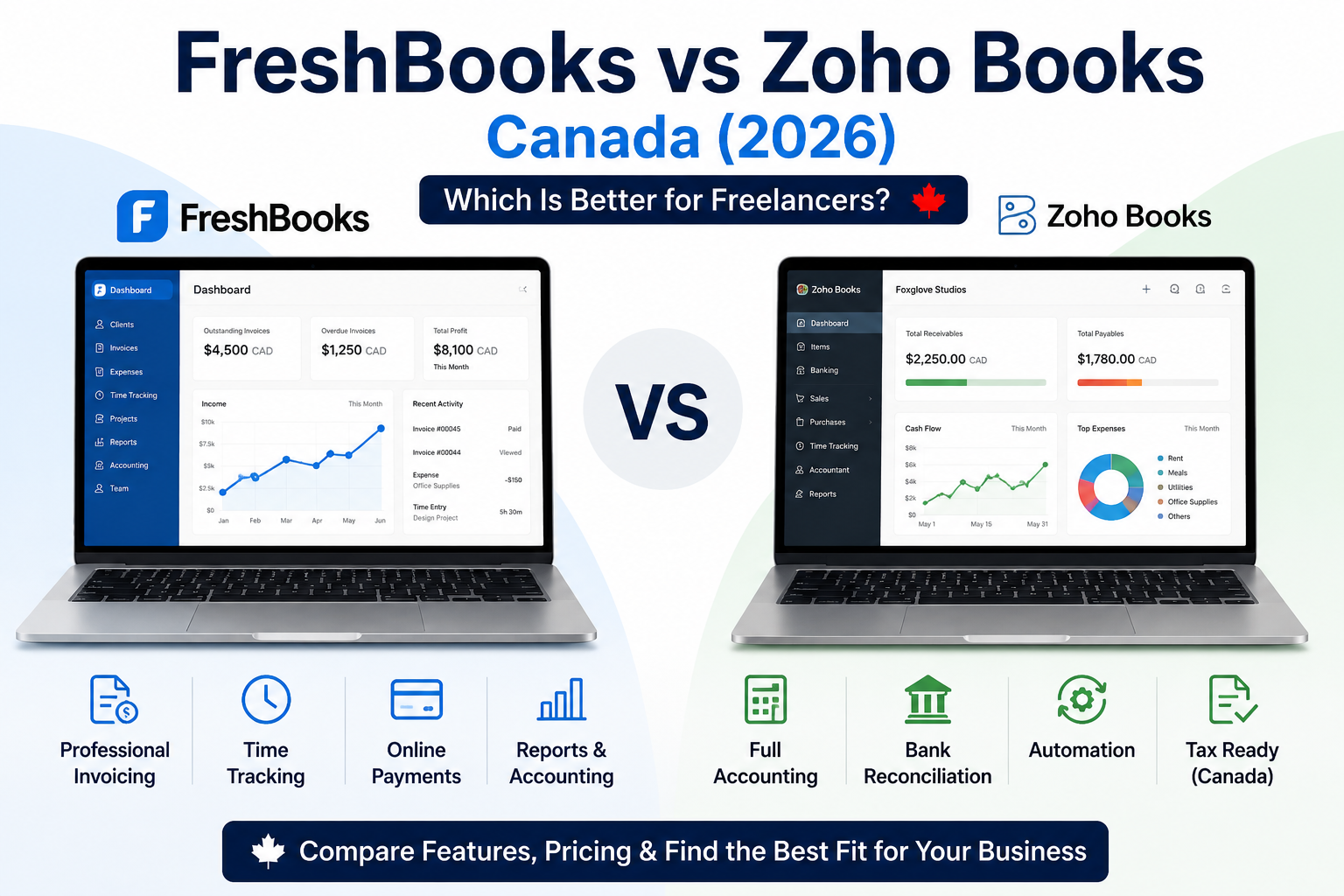
FreshBooks vs Zoho Books Canada is an important comparison for freelancers and small service businesses because both platforms combine invoicing, expenses, online payments and accounting—but they approach those tasks differently.
FreshBooks is built around straightforward client billing. It is particularly strong for professional invoices, time tracking, estimates, proposals, retainers, payment collection and service-business accounting.
Zoho Books provides a broader accounting system. It combines invoices, expenses, vendors, bank reconciliation, automation, projects, inventory on higher plans, Canadian tax returns and integration with the wider Zoho ecosystem.
For most Canadian freelancers, the decision comes down to simplicity versus accounting depth. FreshBooks is easier for invoice-focused businesses, while Zoho Books usually provides stronger long-term value, automation and Canadian tax functionality.
Disclosure: This article contains an affiliate link. If you sign up through it, we may earn a commission at no additional cost to you.
FreshBooks vs Zoho Books Canada: Quick Verdict
Choose FreshBooks when your main priorities are:
- professional invoicing;
- tracking billable time;
- charging clients for time and expenses;
- simple online payments;
- estimates and proposals;
- retainers;
- an easier interface for client billing.
Choose Zoho Books when your main priorities are:
- full accounting;
- stronger GST/HST organization;
- Canadian tax-return generation;
- automation;
- recurring invoices and expenses;
- bank reconciliation;
- vendors and purchases;
- inventory or project profitability;
- better value for a growing business.
Best for easy service-business invoicing: FreshBooks.
Best for accounting, automation and Canadian tax tools: Zoho Books.
Best overall value for most Canadian freelancers: Zoho Books.
Quick Comparison
| Category | FreshBooks | Zoho Books |
|---|---|---|
| Best for | Invoice-focused freelancers and service businesses | Freelancers and small businesses needing fuller accounting |
| Permanent free plan | No | Yes, subject to revenue threshold |
| Free trial | 30 days | 14 days |
| Starting paid price | Lite: $26 CAD/month | Standard: $20/month or $15 annually |
| Pricing model | Plan and billable-client limits | Per organization and included users |
| Invoicing | Excellent | Excellent |
| Time tracking | Included | Project billing on Professional and higher |
| Proposals | Plus and higher | Quotes on all plans |
| Recurring invoices | Yes | Yes |
| Bank reconciliation | Plus and higher | Included, with connected feeds on Standard and higher |
| Accountant access | Plus and higher | Included users vary by plan |
| GST/HST invoice support | Yes | Yes |
| Canadian tax returns | Reports only; no direct filing | Generate Canadian tax returns |
| Automation | Moderate | Strong |
| Inventory | Limited | Professional and higher |
| Best value plan | Plus | Standard or Professional |
| Overall winner | Best for simplicity | Best for value and accounting depth |
What Is FreshBooks?
FreshBooks is cloud-based invoicing and accounting software designed primarily for freelancers, contractors, consultants, agencies and service businesses.
Its workflow is centred on client billing:
- Add a client.
- Create an estimate or proposal.
- Track project time and expenses.
- Generate an invoice.
- Accept payment online.
- Reconcile the payment with bank activity.
- Review financial reports.
FreshBooks Lite supports invoicing for five billable clients. Plus raises the limit to 50 and adds proposals, retainers, bank reconciliation, double-entry accounting reports, receipt scanning and accountant access. Premium removes the client limit and adds project profitability, bills, vendors and more advanced receipt capture.
For a complete platform breakdown, read our FreshBooks Review Canada.
What Is Zoho Books?
Zoho Books is cloud accounting software for freelancers, solopreneurs and small businesses.
It covers a wider financial workflow:
- Create quotes and invoices.
- Track expenses and bills.
- Manage customers and vendors.
- import and reconcile bank transactions.
- Automate recurring transactions and reminders.
- Track projects and timesheets on eligible plans.
- Generate financial and Canadian tax reports.
- Connect with other Zoho business applications.
The Canadian Free plan includes invoices, quotes, expenses, journals, vendors, bank reconciliation, recurring invoices, payment reminders, contractor tracking, provincial and federal tax returns, combined GST/QST returns and more than 50 reports. It is available while annual business revenue remains at or below C$50,000.
For detailed costs, read our Zoho Books Pricing Canada guide.
FreshBooks vs Zoho Books Pricing in Canada
Pricing is one of the clearest differences between the two platforms.
FreshBooks charges according to the selected plan and billable-client limit. Zoho Books charges per organization and includes a set number of users in each plan.
FreshBooks Pricing Canada
| FreshBooks plan | Regular monthly price | Billable clients | Best for |
|---|---|---|---|
| Lite | $26 CAD | 5 | New freelancers |
| Plus | $42 CAD | 50 | Established freelancers |
| Premium | $72 CAD | Unlimited | Agencies and growing businesses |
| Select | Custom | Unlimited | Larger businesses |
You can confirm the latest plan limits, regular prices, and current promotions on the official FreshBooks Canada pricing page.
FreshBooks is currently advertising a temporary 90% discount for six months, but the regular prices above are more useful for long-term budgeting. Team members cost an additional $13 CAD per month each, while Advanced Payments costs $25 per month on Lite, Plus and Premium.
FreshBooks provides a 30-day trial. Plus is the best-value plan for many established freelancers because it supports 50 clients and unlocks proposals, retainers, accounting reports, bank reconciliation and accountant access.
Read our complete FreshBooks Pricing Canada guide.
Zoho Books Pricing Canada
| Zoho Books plan | Monthly price | Annual-billing price | Included users |
|---|---|---|---|
| Free | $0 | $0 | 1 user + 1 accountant |
| Standard | $20 | $15/month | 3 |
| Professional | $35 | $30/month | 5 |
| Premium | $50 | $40/month | 10 |
| Elite | $200 | $165/month | 10 |
| Ultimate | $350 | $290/month | 15 |
You can verify the latest plan features, included users, and annual rates on the official Zoho Books Canada pricing page.
Zoho Books offers a 14-day trial of its paid plans. Standard adds connected bank feeds, recurring expenses, custom reports, API access and additional controls. Professional adds billable timesheets, projects, project profitability, retainers, multi-currency transactions, inventory, sales orders and purchase orders.
Which Platform Offers Better Value?
Zoho Books provides better value in most pricing scenarios.
A Canadian freelancer earning no more than C$50,000 annually may qualify for the permanent Free plan, which already includes accounting reports, recurring invoices, bank reconciliation and Canadian tax-return functionality.
Zoho Books Standard costs less than FreshBooks Lite and includes three users without FreshBooks’ five-client restriction.
Zoho Books Professional costs less than FreshBooks Plus while adding projects, billable timesheets, project profitability, retainers, multi-currency transactions and inventory.
FreshBooks still offers value when its simpler interface and invoice-first workflow save more time than a broader accounting platform.
Pricing winner: Zoho Books.
Invoicing Comparison
Both platforms provide strong invoicing.
FreshBooks Invoicing
FreshBooks supports:
- customized invoices;
- recurring invoices;
- automated payment reminders;
- scheduled late fees;
- deposits;
- payment schedules;
- tracked time;
- billable expenses;
- online payments;
- estimates;
- proposals on Plus and higher;
- client retainers on Plus and higher.
FreshBooks is particularly effective when the business bills clients by time or reimbursable expenses. Unbilled project time and expenses can be transferred directly to an invoice.
The interface is focused and easy to understand, which can reduce setup time for a new freelancer.
Zoho Books Invoicing
Zoho Books supports:
- invoices;
- recurring invoices;
- quotes;
- sales receipts;
- credit notes;
- customer portals;
- payment reminders;
- online payments;
- progress invoicing on Standard and higher;
- retainer invoices on Professional and higher;
- recurring billing;
- custom fields;
- approval workflows on higher plans.
Zoho Books connects invoices more deeply with accounting, tax returns, banking, purchases, inventory and automation.
Invoicing Winner
FreshBooks wins for simplicity and time-based service billing.
Zoho Books wins for automation, customization and accounting integration.
Time Tracking and Project Billing
FreshBooks includes time tracking on all paid plans.
Users can:
- run a timer;
- add time manually;
- assign time to clients and projects;
- mark hours as billable;
- invoice unbilled time;
- set project budgets;
- add team members;
- review project profitability on Premium and Select.
FreshBooks is a strong option for consultants and freelancers who mainly need to record hours and bill clients.
Zoho Books provides a dedicated timesheet and project module. Businesses can create tasks, run timers, log time manually, set project billing methods, track expenses, generate project invoices and review profitability. The pricing page places billable timesheets and project profitability in the Professional plan and above.
Time Tracking Winner
FreshBooks wins for easy time-to-invoice workflow.
Zoho Books wins for broader project accounting and profitability.
Accounting and Financial Reports
Accounting depth is where Zoho Books has its largest advantage.
FreshBooks Accounting
FreshBooks Plus, Premium and Select include:
- bank reconciliation;
- chart of accounts;
- balance sheet;
- cash-flow report;
- general ledger;
- trial balance;
- journal entries;
- accountant access;
- sales-tax reports.
FreshBooks allows up to ten accountant users on eligible plans. Bank reconciliation matches imported bank transactions with FreshBooks entries so account balances remain aligned.
These tools are sufficient for many freelancers and simple service businesses.
Zoho Books Accounting
Zoho Books includes a broader financial system with:
- invoices and sales transactions;
- expenses and bills;
- vendor management;
- bank reconciliation;
- recurring expenses;
- journals;
- tax returns;
- purchase orders on Professional and higher;
- inventory on Professional and higher;
- fixed assets on Premium and higher;
- budgets and cash-flow forecasting on Premium and higher;
- advanced inventory and analytics on Elite and Ultimate.
The Canadian version can configure GST/HST, QST and BC PST and generate returns directly inside Zoho Books.
Accounting Winner
Zoho Books wins.
FreshBooks offers useful accounting for service businesses, but Zoho Books is better suited to businesses that want complete financial records, purchases, vendors, inventory, tax returns and scalable reporting.
GST/HST and Canadian Tax Support
Both platforms can add Canadian sales taxes to invoices.
FreshBooks allows users to create tax rates, apply taxes to transactions and review sales-tax reports. However, the business remains responsible for selecting the correct tax and preparing or filing its return.
Zoho Books goes further. Its Canadian edition can configure GST/HST, QST and BC PST, generate provincial and federal returns and produce combined GST/QST returns.
This does not remove the need to verify tax settings or obtain professional advice, but it reduces the number of steps required to prepare Canadian tax records.
Canadian tax winner: Zoho Books.
Bank Connections and Reconciliation
FreshBooks supports automated bank connections and manual CSV imports. Bank reconciliation is available during trials and on Plus, Premium and Select plans. It operates in a single currency for each connected account.
Zoho Books includes bank reconciliation in the Free plan and adds connected bank feeds in Standard. Transactions can be imported or synchronized, matched, categorized and reconciled against recorded entries.
Banking winner: Zoho Books for value and lower-plan access.
Automation Comparison
FreshBooks automates:
- recurring invoices;
- payment reminders;
- late fees;
- bank imports;
- recurring client billing;
- invoice creation from time and expenses.
This is enough for many service businesses.
Zoho Books provides more extensive automation, including:
- recurring invoices;
- recurring expenses;
- automated reminders;
- custom fields;
- transaction locking;
- journal templates;
- custom reports;
- approvals;
- workflow rules;
- custom functions and modules on higher plans;
- API access on Standard and higher.
Automation winner: Zoho Books.
Online Payments
FreshBooks provides a tightly integrated payment experience for Canadian users, including cards, Apple Pay, Google Pay, pre-authorized debit and Buy Now, Pay Later through supported payment services. Payment fees apply separately from the subscription.
Zoho Books allows businesses to accept online payments through supported payment gateways. The available provider and transaction fee depend on the connected gateway rather than one universal Zoho Books processing rate.
FreshBooks is easier when the business wants a more unified payment setup. Zoho Books offers more flexibility when the business already uses another payment provider.
Payments winner: FreshBooks for simplicity.
Client Limits and Users
FreshBooks limits billable clients by plan:
- Lite: 5;
- Plus: 50;
- Premium: unlimited;
- Select: unlimited.
Team members cost $13 CAD per month each.
Zoho Books pricing is based on organizations and included users rather than billable-client limits:
- Free: 1 user plus 1 accountant;
- Standard: 3 users;
- Professional: 5 users;
- Premium: 10 users;
- Elite: 10 users;
- Ultimate: 15 users.
Additional Zoho Books users are available as an add-on.
Scalability winner: Zoho Books for most small businesses.
Ease of Use
FreshBooks is generally easier for someone whose main tasks are:
- creating invoices;
- tracking time;
- recording expenses;
- accepting payments;
- reviewing basic reports.
Its narrower focus makes the interface less intimidating.
Zoho Books requires more initial setup because it includes more accounting modules and configuration options. The additional complexity becomes valuable when the business needs automation, tax returns, purchases, inventory, projects or detailed reports.
Ease-of-use winner: FreshBooks.
FreshBooks Pros and Cons
FreshBooks Pros
- Excellent invoicing
- Simple time tracking
- Strong time-to-invoice workflow
- Estimates and proposals
- Client retainers
- Canadian online payments
- Bank reconciliation on Plus and higher
- Accountant access on Plus and higher
- Clean interface
- 30-day trial
FreshBooks Cons
- No permanent free plan
- Lite supports only five clients
- Plus supports only 50 clients
- Team members cost extra
- Less Canadian tax functionality
- Limited inventory
- Premium is expensive
- Less automation than Zoho Books
- Not ideal for complex accounting
Zoho Books Pros and Cons
Zoho Books Pros
- Permanent free plan for eligible businesses
- Lower paid-plan prices
- No FreshBooks-style billable-client limits
- Strong accounting
- Canadian tax-return tools
- Recurring invoices and expenses
- Bank reconciliation
- Strong automation
- Projects and timesheets
- Inventory on Professional and higher
- More included users
- Integration with the Zoho ecosystem
Zoho Books Cons
- More setup required
- Interface contains more accounting terminology
- Project billing requires Professional or higher
- Advanced inventory requires expensive plans
- Some add-ons cost extra
- Can feel excessive for invoice-only freelancers
Who Should Choose FreshBooks?
Choose FreshBooks when you:
- mainly sell services;
- bill by the hour;
- want the simplest invoicing workflow;
- have five or fewer clients on Lite;
- have up to 50 clients on Plus;
- need estimates, proposals and retainers;
- value ease of use more than advanced automation;
- do not need direct Canadian tax-return generation;
- prefer an invoice-first system.
FreshBooks is particularly well suited to consultants, designers, developers, contractors, photographers, coaches and agencies focused on client billing.
Who Should Choose Zoho Books?
Choose Zoho Books when you:
- qualify for the Free plan;
- need stronger accounting;
- want Canadian tax-return functionality;
- need bank reconciliation without paying FreshBooks Plus prices;
- automate recurring transactions;
- manage vendors and purchases;
- need multi-currency accounting;
- track inventory;
- want project profitability;
- expect the business to grow;
- already use Zoho CRM, Zoho Projects or other Zoho applications.
Zoho Books is especially strong for freelancers and small businesses that want one accounting platform they can keep as their operations become more complex.
Best Alternative for Different Business Types
New Freelancer Under C$50,000 Revenue
Zoho Books Free usually offers the strongest value because it includes invoicing, expenses, recurring invoices, bank reconciliation, reports and Canadian tax-return tools without a subscription fee.
Freelancer With Five or Fewer Clients
FreshBooks Lite may be easier when professional invoicing, time tracking and online payments are the main priorities.
Established Consultant
FreshBooks Plus is attractive for easy billing, proposals and retainers.
Zoho Books Professional is stronger when the consultant also needs project profitability, multi-currency transactions, deeper accounting and Canadian tax tools.
Growing Small Business
Zoho Books Professional or Premium is usually the better long-term platform because it supports purchases, vendors, inventory, projects, automation and more users.
Invoice-Focused Service Business
FreshBooks is usually easier and faster.
FreshBooks and Zoho Books Alternatives
Wave
Wave is a practical starting point for freelancers who want simple invoicing and basic accounting.
Read our Wave Review for Freelancers in Canada.
QuickBooks Online
QuickBooks is stronger for advanced bookkeeping, accountant familiarity, payroll options, inventory and detailed reports.
Read our FreshBooks vs QuickBooks Canada comparison.
Bonsai
Bonsai is better for proposals, contracts, tasks, client onboarding and project workflow.
Read our Bonsai vs FreshBooks Canada comparison.
For a wider comparison, see the best accounting software for small business Canada.
Frequently Asked Questions
Is Zoho Books cheaper than FreshBooks in Canada?
Yes. Zoho Books Standard costs $20 monthly or $15 per month when billed annually. FreshBooks Lite has a regular price of $26 CAD per month.
Does Zoho Books have a free plan in Canada?
Yes. The Free plan is available while annual business revenue does not exceed C$50,000.
Does FreshBooks have a free plan?
No. FreshBooks offers a 30-day trial but does not provide a permanent free business plan.
Which platform is better for invoicing?
FreshBooks is generally easier for service invoicing and billing tracked time. Zoho Books provides stronger automation and accounting integration.
Which platform is better for GST/HST?
Zoho Books is better because its Canadian edition can generate tax returns and supports GST/HST, QST and BC PST workflows.
Which platform is better for time tracking?
FreshBooks is easier for basic time tracking and client billing. Zoho Books Professional is stronger for project accounting and profitability.
Which platform is better for bank reconciliation?
Both support bank reconciliation. Zoho Books provides it at a lower price and includes manual reconciliation in the Free plan.
Which platform is better for accountants?
FreshBooks Plus and higher provide accountant access and double-entry reports. Zoho Books offers broader accounting, tax-return, vendor and purchase functionality.
Can Zoho Books replace FreshBooks?
Yes, particularly when the business needs stronger accounting, tax tools, automation or inventory. FreshBooks may remain easier for invoice-focused service businesses.
Can FreshBooks replace Zoho Books?
FreshBooks can replace Zoho Books for businesses with simple accounting needs that prioritize invoices, time tracking and payments. It may not replace Zoho Books for Canadian tax returns, inventory or advanced automation.
Which Zoho Books plan is closest to FreshBooks Plus?
Zoho Books Professional is the closest functional comparison because it includes projects, billable timesheets, profitability, retainers and multi-currency transactions. Zoho Books Standard is cheaper but has fewer project features.
Which platform is best for Canadian freelancers?
Zoho Books is the stronger overall choice for most freelancers because of its pricing, accounting depth, automation and Canadian tax tools. FreshBooks is better for freelancers who prioritize the simplest possible billing workflow.
FreshBooks vs Zoho Books Canada: Final Verdict
This FreshBooks vs Zoho Books Canada comparison shows that both platforms are strong, but they serve different priorities.
FreshBooks is the better choice for freelancers and service businesses that want a clean, invoice-first workflow. It is particularly effective for tracking billable time, creating professional invoices, collecting payments and managing basic accounting without learning a more complex system.
Zoho Books is the better choice for businesses that need fuller accounting, Canadian tax-return support, automation, bank reconciliation, vendors, purchases, inventory and long-term scalability.
FreshBooks Plus is the best FreshBooks plan for many established freelancers, but its regular $42 monthly price and 50-client limit make Zoho Books Professional a compelling alternative.
Zoho Books Standard offers strong value for businesses that do not require project billing, while Professional is the best overall Zoho Books plan for consultants and growing service businesses.
Best for simple invoicing and time billing: FreshBooks.
Best for accounting and Canadian taxes: Zoho Books.
Best for automation and long-term growth: Zoho Books.
Overall winner for most Canadian freelancers: Zoho Books.
Try Zoho Books for Canadian invoicing and accounting.
Pricing and features were checked against the official FreshBooks Canada and Zoho Books Canada websites on August 3, 2026. Plans and promotions can change.