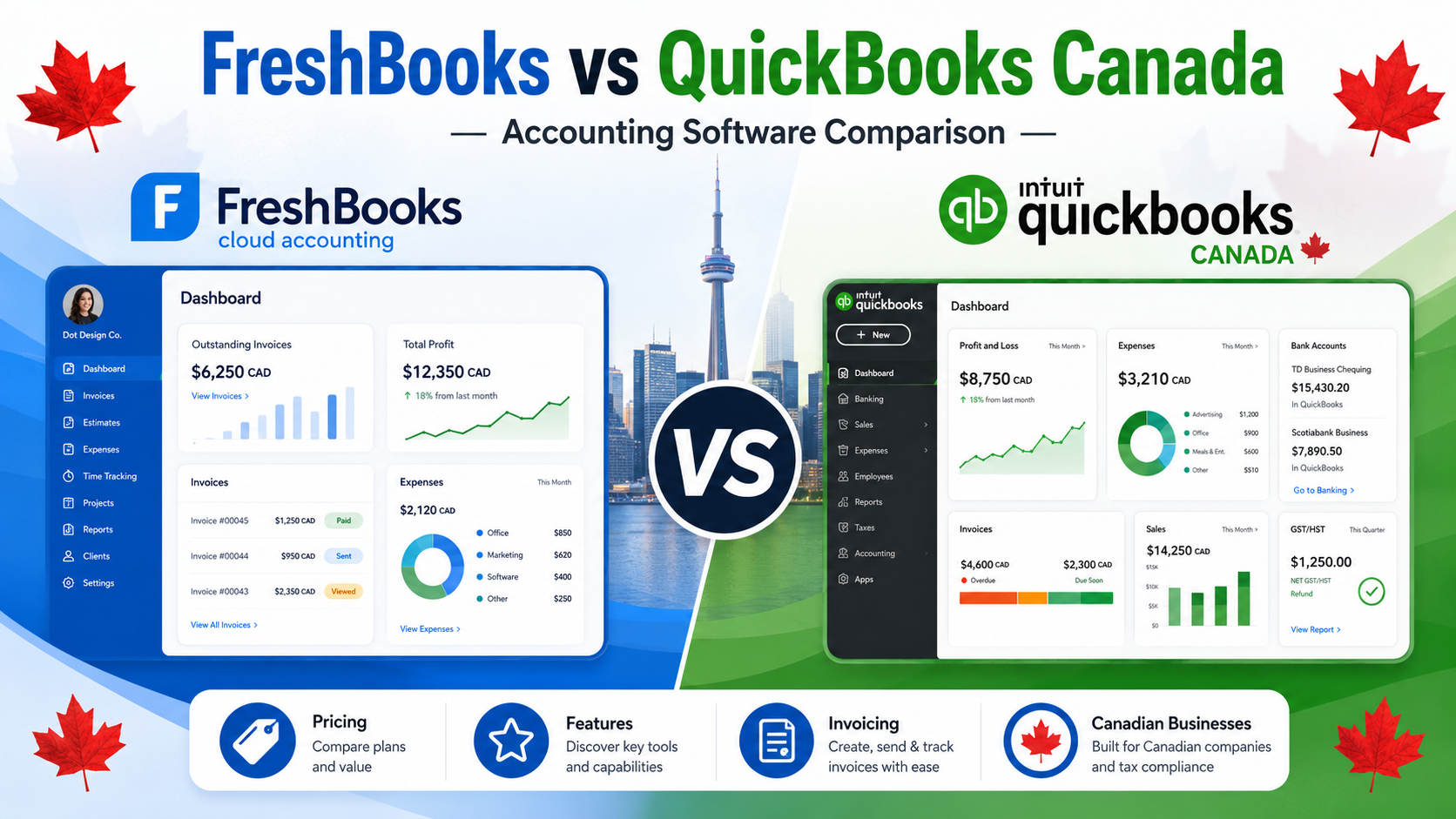
Choosing between FreshBooks and QuickBooks is a common decision for Canadian freelancers, self-employed professionals, service businesses, and small business owners.
Both platforms help businesses manage invoices, expenses, payments, reports, and accounting tasks. But they are not built for the exact same type of user.
FreshBooks is usually stronger for freelancers and service-based businesses that care about invoicing, time tracking, client billing, estimates, and an easier workflow.
QuickBooks is usually stronger for small businesses that need deeper accounting, stronger reports, tax organization, inventory tools on selected plans, and accountant collaboration.
In this FreshBooks vs QuickBooks Canada comparison, we break down pricing, invoicing, accounting features, time tracking, reporting, ease of use, pros, cons, and the best choice for different types of Canadian businesses.
Quick Comparison: FreshBooks vs QuickBooks Canada
FreshBooks is better for freelancers, consultants, agencies, and service-based businesses that want simple invoicing, time tracking, estimates, expenses, and client billing.
QuickBooks is better for growing small businesses that need stronger accounting features, detailed reports, GST/HST organization, accountant access, inventory tracking, and more advanced business management tools.
| Feature | FreshBooks | QuickBooks Canada |
|---|---|---|
| Best For | Freelancers and service-based businesses | Growing small businesses and accounting-heavy users |
| Pricing Style | Paid subscription plans | Paid subscription plans |
| Invoicing | Excellent | Strong |
| Time Tracking | Strong | Available depending on plan/features |
| Expense Tracking | Good | Strong |
| Reporting | Good | Stronger |
| Accounting Depth | Good for small businesses | More advanced |
| Inventory Tracking | Limited | Available on selected plans |
| Accountant Access | Yes | Yes |
| Ease of Use | Easier for beginners | More powerful but more complex |
| Best Value For | Client billing and service businesses | Full accounting and long-term growth |
Short Verdict
Choose FreshBooks if you are a freelancer, consultant, agency, contractor, or service-based business that needs simple invoicing, time tracking, project billing, expenses, and client management.
Choose QuickBooks if you need deeper accounting, stronger reports, inventory tools, GST/HST organization, accountant collaboration, and more complete financial control.
For many Canadian freelancers and service businesses, FreshBooks is easier to use.
For growing small businesses with more complex accounting needs, QuickBooks is usually the stronger long-term choice.
If you are comparing FreshBooks vs QuickBooks Canada, the main question is simple:
Do you need easier client billing, or do you need deeper accounting?
What Is FreshBooks?
FreshBooks is cloud-based invoicing and accounting software designed mainly for freelancers, self-employed professionals, consultants, agencies, and service-based businesses.
It helps users create invoices, send estimates, track time, record expenses, accept payments, manage clients, and view business reports.
FreshBooks is especially popular with users who bill clients for services.
That makes it useful for businesses such as:
- consultants
- freelancers
- designers
- marketers
- agencies
- contractors
- coaches
- photographers
- writers
- developers
- other service providers
FreshBooks can help businesses:
- create professional invoices
- send estimates
- track billable time
- manage expenses
- accept online payments
- organize clients
- create recurring invoices
- manage projects
- view business reports
- track invoice status
- send payment reminders
FreshBooks is not just a simple invoice generator. It is a client billing and small business management tool.
It works best when your business depends on client work, billable hours, projects, estimates, and recurring service relationships.
Official website: FreshBooks Canada
Best FreshBooks Use Cases
FreshBooks is a good fit for:
- freelancers
- consultants
- agencies
- creative professionals
- service-based businesses
- contractors
- businesses that bill by time
- users who send estimates
- users who want simple invoicing
- businesses that need client billing tools
FreshBooks works best when your main priority is getting paid by clients and keeping your billing process simple.
What Is QuickBooks?
QuickBooks is one of the most recognized accounting software platforms for Canadian small businesses.
It is widely used by small business owners, contractors, accountants, bookkeepers, freelancers, and growing companies.
QuickBooks helps businesses manage invoicing, expenses, bills, receipts, reports, GST/HST tracking, inventory on selected plans, project profitability on selected plans, and accountant collaboration.
QuickBooks can help businesses:
- create invoices
- track expenses
- manage bills
- connect bank accounts
- organize receipts
- track GST/HST
- generate financial reports
- manage inventory on selected plans
- track project profitability on selected plans
- collaborate with accountants
- monitor business performance
QuickBooks is usually better when accounting becomes more important than simple client billing.
For very small businesses, QuickBooks may feel bigger than necessary. But for businesses that need financial control, reporting, tax organization, and accountant-friendly workflows, QuickBooks is one of the strongest options in Canada.
Official website: QuickBooks Canada
Best QuickBooks Use Cases
QuickBooks is a good fit for:
- small businesses
- contractors
- ecommerce businesses
- businesses with inventory
- growing companies
- businesses with many expenses
- users who work with accountants
- businesses that need stronger reports
- businesses that need full accounting tools
QuickBooks works best when your business needs more than invoicing and basic expense tracking.
FreshBooks vs QuickBooks Pricing Canada
Pricing is one of the first things business owners compare when choosing accounting software.
FreshBooks and QuickBooks both use paid subscription plans.
The exact price can change because both companies may offer promotions, discounts, plan updates, or regional pricing changes.
That is why it is better to compare value and features instead of only looking at the monthly price.
FreshBooks Pricing
FreshBooks offers paid plans based on business needs.
FreshBooks can be a good fit if you want:
- professional invoicing
- estimates
- time tracking
- expenses
- online payments
- recurring invoices
- client billing
- project tools
- reports
- simple business management
FreshBooks pricing can make sense for freelancers and service businesses that need to manage clients, track time, send invoices, and get paid faster.
If your business is mostly service-based, FreshBooks may feel easier to justify than a full accounting platform.
QuickBooks Pricing
QuickBooks also uses paid subscription plans.
QuickBooks plans may include different levels of features such as:
- invoicing
- expenses
- bills
- receipt capture
- tax tracking
- reports
- inventory on selected plans
- project profitability on selected plans
- multi-user access depending on plan
- accountant collaboration
QuickBooks is often more accounting-focused than FreshBooks.
It may cost more as your business needs more advanced features, but it can also provide stronger financial visibility.
Pricing Winner
FreshBooks may offer better value for freelancers and service businesses that mainly need invoicing, time tracking, expenses, and client billing.
QuickBooks may offer better value for businesses that need deeper accounting, stronger reporting, inventory, tax organization, and accountant collaboration.
There is no universal pricing winner.
FreshBooks wins for client billing simplicity.
QuickBooks wins for accounting depth.
Invoicing Comparison
Invoicing is one of the most important areas in this comparison.
Both FreshBooks and QuickBooks can create professional invoices, but FreshBooks is especially strong for service-based billing.
FreshBooks Invoicing
FreshBooks is built around invoicing and client billing.
FreshBooks invoicing is useful for:
- freelancers
- consultants
- agencies
- contractors
- service providers
- businesses with recurring clients
- businesses that bill by time
FreshBooks can help users create invoices, customize invoice details, track invoice status, send reminders, accept payments, and manage client billing.
FreshBooks is especially useful when invoices are connected to time tracking, projects, estimates, or client work.
For example, a consultant can track billable hours, add that time to an invoice, and send it to a client.
That type of workflow is where FreshBooks is strong.
QuickBooks Invoicing
QuickBooks also has strong invoicing tools.
QuickBooks invoicing is useful for:
- freelancers
- contractors
- small businesses
- product-based businesses
- service businesses
- businesses that need estimates and invoices
- users who want invoices connected to accounting reports
QuickBooks connects invoices with income, taxes, reports, customers, payments, and bookkeeping.
It is better when invoices are part of a larger accounting system.
Invoicing Winner
FreshBooks wins for service-based invoicing and client billing.
QuickBooks wins if you want invoicing connected to deeper accounting and reporting.
For freelancers and agencies, FreshBooks may feel easier.
For growing small businesses, QuickBooks may be stronger.
Time Tracking Comparison
Time tracking is one of the biggest reasons service businesses consider FreshBooks.
FreshBooks Time Tracking
FreshBooks is strong for tracking billable time.
This is useful for:
- consultants
- agencies
- designers
- developers
- lawyers
- contractors
- freelancers
- coaches
- service professionals
FreshBooks can help track time spent on client work and turn that time into invoices.
This is important for businesses that bill hourly or need to measure project time.
QuickBooks Time Tracking
QuickBooks may offer time tracking depending on the plan, setup, or connected tools.
It can work for businesses that need to track hours, labour, projects, or job costs.
However, FreshBooks is usually more natural for freelancers and service businesses that want simple time-to-invoice workflows.
Time Tracking Winner
FreshBooks wins for simple service-business time tracking.
QuickBooks can still work, but FreshBooks feels more focused on client billing and billable time.
Accounting Features Comparison
Accounting depth is where QuickBooks becomes stronger.
FreshBooks includes accounting tools, but QuickBooks is built as a more complete accounting platform.
FreshBooks Accounting
FreshBooks can help with basic accounting needs for freelancers and small businesses.
FreshBooks can help with:
- income tracking
- expenses
- invoices
- payments
- reports
- client records
- project billing
- tax-related organization
- receipt management
FreshBooks is good for users who want enough accounting to run a small service business without feeling overwhelmed.
It is not always the best choice for complex accounting, inventory-heavy businesses, or companies that need deep financial reporting.
QuickBooks Accounting
QuickBooks provides stronger accounting features.
QuickBooks can help with:
- income tracking
- expense tracking
- bank connections
- bill management
- GST/HST tracking
- receipt capture
- financial reports
- inventory on selected plans
- project profitability on selected plans
- accountant collaboration
- cash flow visibility
QuickBooks is usually better for businesses that need full bookkeeping and more detailed financial organization.
Accounting Winner
QuickBooks wins.
FreshBooks is good for freelancers and service businesses.
QuickBooks is stronger for full accounting, reporting, tax organization, and long-term business growth.
Expense Tracking Comparison
Both FreshBooks and QuickBooks can help businesses track expenses.
FreshBooks Expense Tracking
FreshBooks expense tracking is useful for freelancers and service businesses that want to organize business costs.
FreshBooks can help users track expenses and connect them to client work where needed.
This is helpful for businesses that want to bill clients for reimbursable expenses or understand basic business costs.
QuickBooks Expense Tracking
QuickBooks has stronger expense tracking for businesses with more accounting needs.
QuickBooks can help categorize expenses, connect bank accounts, manage receipts, track bills, and generate expense reports.
QuickBooks is better for businesses with higher transaction volume or more complex bookkeeping.
Expense Tracking Winner
QuickBooks wins for advanced expense tracking.
FreshBooks is strong enough for many freelancers and service businesses.
Reporting Comparison
Reports help business owners understand income, expenses, profit, cash flow, taxes, and business performance.
FreshBooks Reporting
FreshBooks includes useful reports for small businesses.
FreshBooks reports may help with:
- profit and loss
- expenses
- payments
- invoices
- clients
- taxes
- business performance
These reports can be enough for freelancers, consultants, and small service businesses.
FreshBooks reporting is practical and easy to understand.
QuickBooks Reporting
QuickBooks provides deeper reporting.
QuickBooks reports may help with:
- profit and loss
- balance sheet
- cash flow
- expenses
- sales tax summaries
- accounts receivable
- accounts payable
- project profitability on selected plans
- inventory reports on selected plans
- custom financial reports
QuickBooks is stronger if you need detailed financial visibility.
Reporting Winner
QuickBooks wins.
FreshBooks gives useful reports for service businesses.
QuickBooks gives stronger accounting and financial reports.
GST/HST Support
Canadian businesses often need to track GST/HST correctly.
Both FreshBooks and QuickBooks can support Canadian business workflows, but QuickBooks is usually stronger for tax organization and accountant collaboration.
FreshBooks GST/HST Support
FreshBooks can help Canadian small businesses with invoices, tax-related information, expenses, and reports.
For freelancers and service businesses with simple needs, FreshBooks may be enough.
QuickBooks GST/HST Support
QuickBooks Canada is designed for Canadian businesses and can help with GST/HST tracking, tax reports, invoicing, expenses, and accounting workflows.
QuickBooks is usually better when tax organization is a major priority.
GST/HST Winner
QuickBooks wins.
FreshBooks can work for simple service businesses.
QuickBooks is stronger for more detailed tax tracking and accounting workflows.
Ease of Use
Ease of use matters because business owners do not want to spend hours learning accounting software.
FreshBooks Ease of Use
FreshBooks is usually easier for beginners.
The platform feels simple, clean, and focused on client billing.
FreshBooks is a good choice if you want to:
- send invoices quickly
- track time
- manage clients
- record expenses
- accept payments
- avoid a complex accounting dashboard
- keep billing simple
For many freelancers and service businesses, FreshBooks feels easier than QuickBooks.
QuickBooks Ease of Use
QuickBooks is more powerful, but it can take more time to learn.
Because QuickBooks has more accounting features, the setup can feel heavier.
However, once QuickBooks is set up properly, it can be efficient and powerful.
QuickBooks is easier if you work with an accountant or bookkeeper who can help with setup.
Ease of Use Winner
FreshBooks wins for beginners and service businesses.
QuickBooks wins for users who need more accounting power and are willing to spend more time setting it up.
Mobile App Comparison
Both FreshBooks and QuickBooks offer mobile apps.
Mobile access is useful for sending invoices, checking expenses, managing clients, and tracking business activity on the go.
FreshBooks Mobile App
FreshBooks mobile tools can help with:
- invoices
- expenses
- time tracking
- clients
- payments
- project tasks
- business updates
FreshBooks is useful for freelancers and service providers who work outside the office.
QuickBooks Mobile App
QuickBooks mobile tools can help with:
- invoices
- expenses
- receipts
- reports
- customer records
- business tracking
QuickBooks may offer a more accounting-focused mobile experience.
Mobile App Winner
FreshBooks may be better for mobile invoicing and time tracking.
QuickBooks may be better for mobile accounting and business tracking.
Integrations and Ecosystem
Integrations matter when your accounting software needs to connect with other business tools.
FreshBooks Integrations
FreshBooks can connect with tools for payments, productivity, CRM, reporting, ecommerce, payroll, and project workflows.
It is especially useful when your business needs billing connected to client work.
QuickBooks Integrations
QuickBooks has a strong app ecosystem and connects with many business tools used by small businesses, accountants, ecommerce stores, contractors, and service providers.
QuickBooks may be better if you want accounting software that connects with a larger business system.
Integrations Winner
QuickBooks wins for broader accounting integrations.
FreshBooks is strong for service business workflows.
Inventory and Project Tracking
Inventory and project tracking can matter for businesses that sell products, manage jobs, or track profitability.
FreshBooks Inventory and Projects
FreshBooks is stronger for service projects than inventory.
It can help with client projects, time tracking, estimates, invoices, and expenses.
FreshBooks is not usually the best option for product-heavy businesses that need detailed inventory tracking.
QuickBooks Inventory and Projects
QuickBooks offers inventory and project profitability features on selected plans.
This can be useful for:
- contractors
- ecommerce businesses
- product-based businesses
- businesses managing job costs
- companies that need profitability tracking
Inventory and Project Winner
FreshBooks wins for simple service projects and time-based billing.
QuickBooks wins for inventory and deeper project profitability tracking.
FreshBooks Pros and Cons
FreshBooks Pros
- excellent invoicing
- strong time tracking
- easy to use
- good for freelancers
- good for consultants
- useful for service businesses
- client billing features
- estimates and recurring invoices
- cleaner workflow for beginners
- good mobile experience for service work
FreshBooks Cons
- not as advanced as QuickBooks for accounting
- not ideal for inventory-heavy businesses
- can become more expensive depending on needs
- less powerful for detailed financial reporting
- may not be enough for complex bookkeeping
- accountant familiarity may vary
QuickBooks Pros and Cons
QuickBooks Pros
- strong accounting features
- strong reporting
- widely recognized in Canada
- accountant-friendly
- GST/HST tracking
- inventory on selected plans
- project profitability on selected plans
- scalable for growing businesses
- strong app ecosystem
- good for businesses with more complex finances
QuickBooks Cons
- can feel complex for beginners
- monthly subscription required
- setup can take time
- may be more software than simple freelancers need
- pricing can increase as features are added
- service businesses may find FreshBooks easier for billing
Which Is Better for Freelancers?
For many freelancers, FreshBooks is usually the better choice.
FreshBooks is better if you:
- send invoices
- bill clients by time
- send estimates
- manage client projects
- track expenses
- want simple software
- want an easier workflow
- do not need advanced accounting
QuickBooks can still work for freelancers, especially if they:
- have many expenses
- work with an accountant
- need stronger reports
- want deeper tax organization
- plan to grow into a larger business
Freelancer Winner
FreshBooks wins for most freelancers.
QuickBooks wins for freelancers with more complex accounting needs.
Which Is Better for Service Businesses?
FreshBooks is built for service businesses.
If you run a client-based business, FreshBooks can be easier because it focuses on invoices, estimates, time tracking, expenses, and client billing.
FreshBooks is a strong fit for:
- consultants
- agencies
- contractors
- designers
- marketers
- writers
- coaches
- developers
- photographers
QuickBooks is better if the service business needs deeper accounting, stronger reporting, or accountant collaboration.
Service Business Winner
FreshBooks wins for simple service business workflows.
QuickBooks wins when accounting complexity becomes more important than billing simplicity.
Which Is Better for Small Businesses?
For small businesses, the answer depends on business type.
FreshBooks is better for small businesses that need:
- simple invoicing
- client billing
- time tracking
- estimates
- expenses
- project billing
- easy setup
QuickBooks is better for small businesses that need:
- advanced accounting
- detailed reports
- GST/HST organization
- inventory tracking on selected plans
- project profitability on selected plans
- accountant collaboration
- stronger financial control
Small Business Winner
QuickBooks wins for growing small businesses.
FreshBooks wins for small service businesses that prioritize billing and ease of use.
Best Alternative to FreshBooks and QuickBooks
FreshBooks and QuickBooks are both strong tools, but they are not the only options.
Zoho Books
Zoho Books is a strong alternative if you want accounting software that balances affordability, invoicing, automation, and reports.
Zoho Books may be a better option if FreshBooks feels too service-focused and QuickBooks feels too expensive or complex.
Related guide: Zoho Books vs QuickBooks for Freelancers in Canada (2026)
Related guide: Zoho Books vs Xero Canada (2026)
Official website: Zoho Books Canada
Wave
Wave is a good option for freelancers and very small businesses that want simple invoicing and basic accounting.
It is easier than QuickBooks and may be enough if your business is simple.
Related guide: Wave vs QuickBooks Canada (2026)
Xero
Xero is a strong accounting platform for growing businesses that want cloud accounting, bank reconciliation, reports, and accountant collaboration.
Related guide: Xero vs QuickBooks Canada (2026)
Bonsai
Bonsai is useful for freelancers who want proposals, contracts, invoices, payments, and client management in one workflow.
Related guide: Best QuickBooks Alternatives Canada (2026)
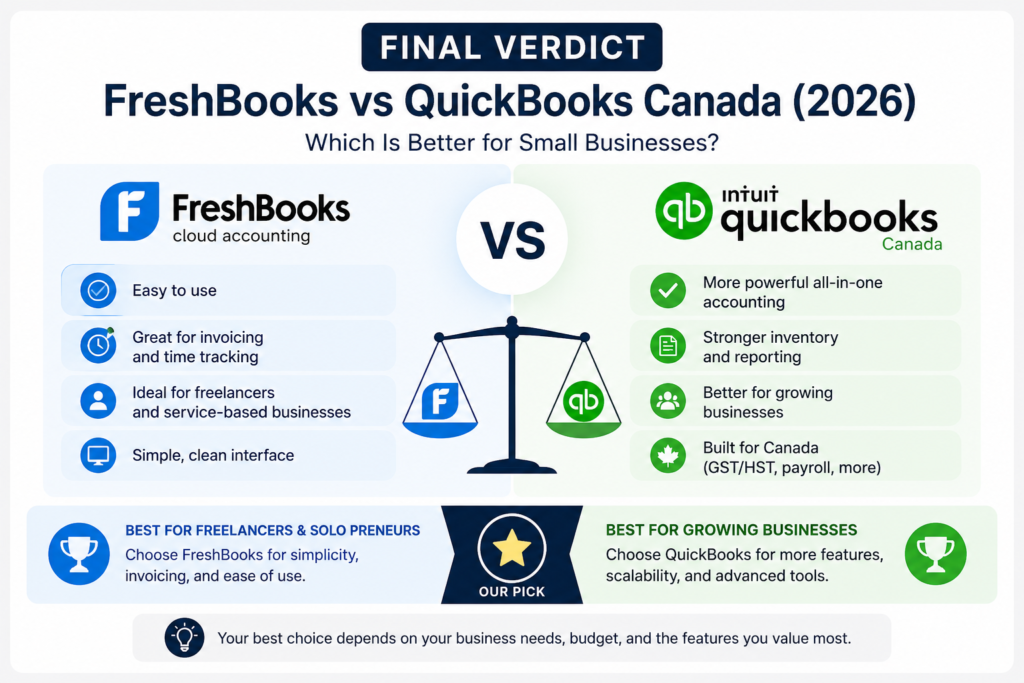
Overall, this freshbooks vs quickbooks canada comparison shows that FreshBooks is better for freelancers and service businesses that need simple billing, while QuickBooks is stronger for growing businesses that need deeper accounting and reporting.
Related guide: Best Accounting Software for Small Business Canada (2026)
Zoho Books is another strong accounting alternative for Canadian freelancers; read our FreshBooks vs Zoho Books Canada comparison.
Final Verdict: FreshBooks vs QuickBooks Canada
FreshBooks and QuickBooks are both useful business tools, but they are best for different types of users.
This freshbooks vs quickbooks canada comparison shows that FreshBooks is usually better for freelancers and service businesses that want simple invoicing, time tracking, estimates, expenses, and client billing.
QuickBooks is usually better for growing small businesses that need deeper accounting, stronger reports, GST/HST organization, inventory tools, project profitability, and accountant collaboration.
Choose FreshBooks if you mainly sell services and want easier billing.
Choose QuickBooks if you need stronger accounting and better long-term financial control.
For freelancers, consultants, and agencies, FreshBooks may feel easier and more practical.
For growing companies, contractors, ecommerce businesses, and accounting-heavy businesses, QuickBooks is usually the stronger long-term choice.
If neither platform feels perfect, compare Zoho Books, Wave, Xero, and Bonsai before making a final decision.
Frequently Asked Questions
Is FreshBooks better than QuickBooks in Canada?
FreshBooks can be better for freelancers and service-based businesses that need simple invoicing, time tracking, estimates, and client billing. QuickBooks is better for businesses that need deeper accounting and stronger reports.
Is QuickBooks better than FreshBooks?
QuickBooks is better for advanced accounting, reporting, GST/HST organization, inventory on selected plans, project profitability, and accountant collaboration.
Is FreshBooks good for Canadian small businesses?
Yes. FreshBooks can be a good fit for Canadian freelancers, consultants, agencies, and service businesses that need invoicing, time tracking, expenses, and client billing.
Does FreshBooks support time tracking?
Yes. FreshBooks is strong for time tracking and turning billable time into invoices, which makes it useful for freelancers and service businesses.
Does QuickBooks support GST/HST in Canada?
Yes. QuickBooks Canada is designed for Canadian businesses and can help with GST/HST tracking, invoicing, expenses, reports, and accounting workflows.
Which is easier to use, FreshBooks or QuickBooks?
FreshBooks is usually easier for beginners and service businesses. QuickBooks is more powerful, but it may take more time to set up and learn.
Which is better for freelancers, FreshBooks or QuickBooks?
FreshBooks is usually better for freelancers who need invoicing, time tracking, and client billing. QuickBooks is better for freelancers with more advanced accounting needs.
Which is better for small businesses, FreshBooks or QuickBooks?
FreshBooks is better for small service businesses. QuickBooks is better for growing small businesses that need stronger accounting, reports, tax tracking, and inventory features.
Can FreshBooks replace QuickBooks?
FreshBooks can replace QuickBooks for freelancers and service businesses with simpler accounting needs. Businesses with advanced bookkeeping, inventory, or detailed reporting needs may still prefer QuickBooks.
What is the best alternative to FreshBooks and QuickBooks?
Zoho Books is a strong alternative for small businesses that want accounting, invoicing, automation, and good value. Wave is better for simple invoicing and basic accounting. Xero is stronger for cloud accounting and growing businesses.