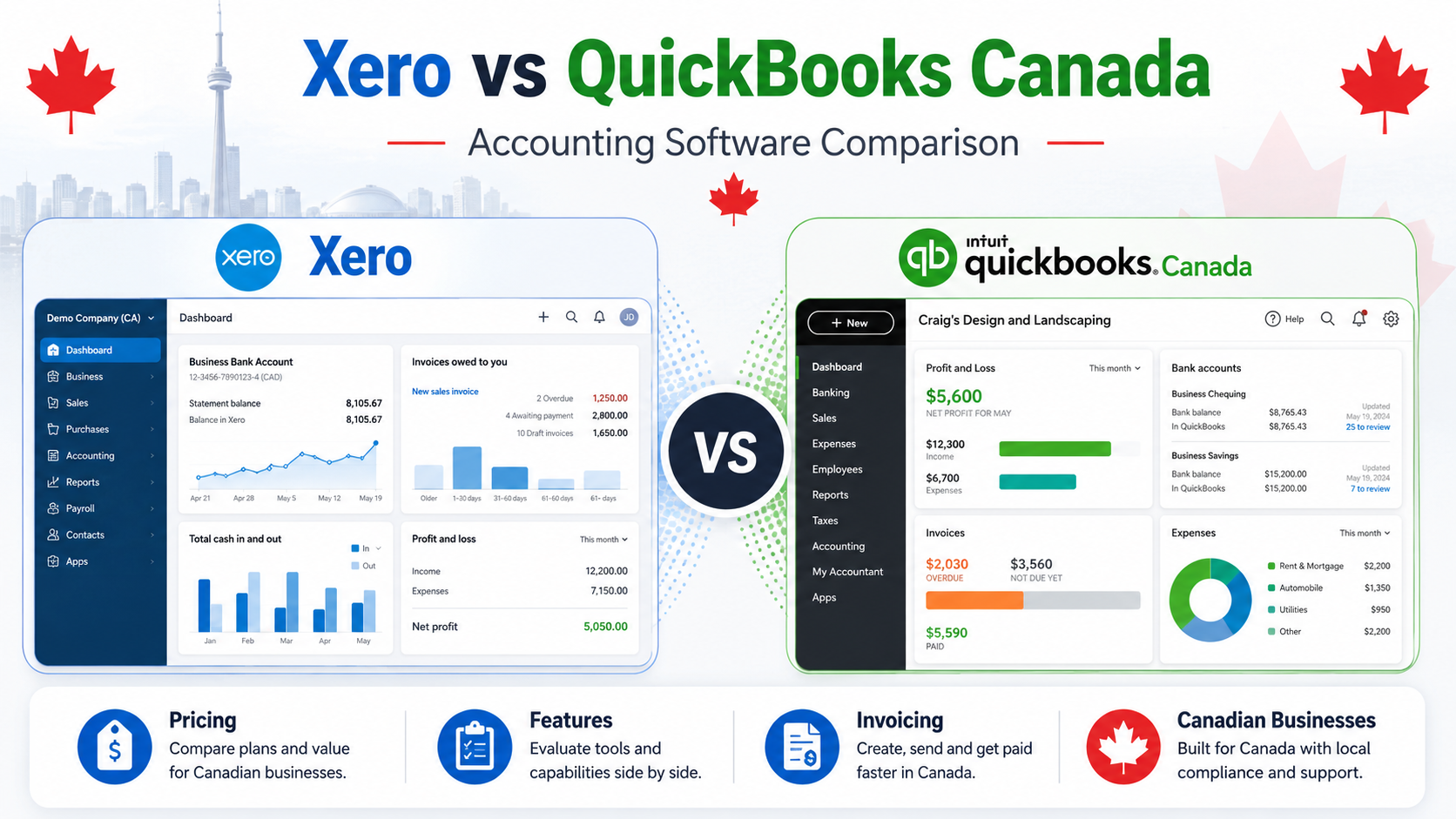
Choosing between Xero and QuickBooks is one of the biggest accounting software decisions for Canadian small businesses.
Both platforms are serious cloud accounting tools. Both can help with invoices, expenses, bank connections, reports, tax tracking, and collaboration with accountants. But they are not exactly the same.
QuickBooks is one of the most recognized accounting platforms in Canada and is commonly used by small businesses and accountants. Xero is a strong cloud accounting alternative with a clean interface, strong bank reconciliation, reporting tools, and a growing app ecosystem.
This Xero vs QuickBooks Canada comparison will help you understand the main differences between both platforms, including pricing style, accounting features, invoicing, reporting, ease of use, mobile apps, pros, cons, and the best choice for different types of Canadian businesses.
Quick Comparison: Xero vs QuickBooks Canada
Xero is best for businesses that want a modern cloud accounting platform with strong bank reconciliation, clean workflows, and unlimited-user flexibility on many plans.
QuickBooks is best for businesses that want a widely recognized accounting platform with strong reporting, accountant familiarity, tax tools, inventory options, and advanced business features on higher plans.
| Feature | Xero | QuickBooks Canada |
|---|---|---|
| Best For | Growing small businesses and cloud accounting users | Small businesses, contractors, and accountant-led workflows |
| Pricing Model | Paid subscription plans | Paid subscription plans |
| Invoicing | Strong | Strong |
| Expense Tracking | Strong | Strong |
| Bank Reconciliation | Very strong | Strong |
| Reporting | Strong | Very strong |
| Inventory | Available depending on plan/features | Available on selected plans |
| Accountant Access | Yes | Yes |
| Ease of Use | Clean but still needs setup | Familiar but can feel feature-heavy |
| App Ecosystem | Strong | Strong |
| Best Value For | Businesses that want modern cloud accounting | Businesses that want full accounting depth and accountant familiarity |
Short Verdict
Choose Xero if you want modern cloud accounting, strong bank reconciliation, clean workflows, and a platform that works well for growing small businesses.
Choose QuickBooks if you want a widely recognized accounting system with strong reporting, accountant familiarity, tax organization, and advanced business tools.
For many Canadian small businesses, both platforms can work well.
The better choice depends on your workflow.
If your accountant prefers QuickBooks, QuickBooks may be easier to manage long term.
If you prefer Xero’s interface, bank reconciliation, and cloud-first workflow, Xero can be a strong alternative.
What Is Xero?
Xero is cloud-based accounting software designed for small businesses, accountants, bookkeepers, and growing companies.
It helps businesses manage invoices, expenses, bills, bank transactions, reports, tax tracking, and financial workflows in one system.
Xero is especially popular with users who want a modern accounting platform that feels clean, flexible, and built for cloud-based work.
Xero can help businesses:
- create and send invoices
- track income and expenses
- connect bank accounts
- reconcile transactions
- manage bills
- view financial reports
- collaborate with accountants
- use integrations with other business apps
- track cash flow
- manage accounting records online
Xero is not just a simple invoice app. It is a full accounting platform.
That means it may be more than a beginner freelancer needs, but it can be very useful for businesses that are growing and need stronger bookkeeping.
Official website: Xero Canada
Best Xero Use Cases
Xero is a good fit for:
- growing small businesses
- service businesses
- businesses with accountants
- businesses that need bank reconciliation
- cloud-first teams
- companies that use multiple business apps
- users who want an alternative to QuickBooks
- businesses that need more than simple invoicing
Xero works best when your business needs full accounting tools but you want a platform that feels modern and cloud-focused.
What Is QuickBooks?
QuickBooks is one of the most recognized accounting software platforms for Canadian small businesses.
It is widely used by business owners, accountants, bookkeepers, contractors, freelancers, and growing companies.
QuickBooks can help businesses manage invoicing, expenses, sales tax, reports, bills, inventory on selected plans, receipts, projects, and financial organization.
QuickBooks can help businesses:
- create invoices
- track expenses
- manage bills
- connect bank accounts
- organize receipts
- track GST/HST
- generate financial reports
- manage inventory on selected plans
- collaborate with accountants
- monitor business performance
QuickBooks is usually better for businesses that want deeper accounting features, strong reports, tax organization, and accountant-friendly workflows.
For very simple businesses, QuickBooks may feel bigger than necessary. But for businesses that need real accounting depth, it remains one of the strongest options in Canada.
Official website: QuickBooks Canada
Best QuickBooks Use Cases
QuickBooks is a good fit for:
- small businesses
- contractors
- consultants
- agencies
- ecommerce businesses
- businesses with inventory
- businesses that work with accountants
- users who need strong reports
- businesses that want advanced accounting features
QuickBooks works best when accounting is a serious part of your business operations.
Xero vs QuickBooks Pricing Canada
Pricing is one of the first things business owners compare when choosing between Xero and QuickBooks.
Both Xero and QuickBooks use paid subscription plans.
The exact monthly price may change because both companies can offer discounts, promotions, plan changes, and regional pricing updates.
That is why it is better to compare value instead of only looking at the monthly price.
Xero Pricing
Xero offers paid plans based on the needs of the business.
Plans usually differ by feature access, transaction needs, bill management, reporting, and advanced tools.
Xero can be a good fit if you want:
- cloud accounting
- invoicing
- bank reconciliation
- expense tracking
- bill management
- financial reports
- accountant collaboration
- integrations with other apps
Xero’s pricing can make sense for businesses that want a full accounting platform but prefer Xero’s workflow over QuickBooks.
QuickBooks Pricing
QuickBooks also uses a paid subscription model.
Plans usually differ by features such as reports, bills, users, inventory, project profitability, automation, and advanced accounting tools.
QuickBooks can be a good fit if you want:
- strong accounting features
- GST/HST tracking
- detailed reports
- receipt capture
- bill management
- inventory tools on selected plans
- accountant collaboration
- advanced business insights
QuickBooks is often not the cheapest accounting option, but many businesses pay for it because it gives them strong financial control.
Pricing Winner
There is no universal pricing winner.
Xero may be better value if your business prefers its workflow, user access model, or app ecosystem.
QuickBooks may be better value if your accountant already uses it or if your business needs QuickBooks-specific reporting and workflows.
Before choosing, compare the current plans directly on both official websites.
Invoicing Comparison
Both Xero and QuickBooks offer strong invoicing tools.
The difference is not whether they can send invoices. Both can.
The real difference is how invoicing connects with the rest of your accounting workflow.
Xero Invoicing
Xero allows businesses to create professional invoices, send them to customers, track payments, and manage invoice status.
Xero invoicing is useful for:
- small businesses
- consultants
- agencies
- service businesses
- recurring customers
- businesses that want connected accounting
Xero also works well when invoices need to connect with bank reconciliation, reports, and bookkeeping workflows.
QuickBooks Invoicing
QuickBooks also provides strong invoicing features.
QuickBooks invoicing is useful for:
- freelancers
- contractors
- small businesses
- service providers
- businesses with repeat customers
- users who need estimates and invoices
- businesses that want detailed reports
QuickBooks connects invoices with income, tax tracking, customer records, reports, payments, and accounting.
Invoicing Winner
This category is very close.
Xero is strong for clean cloud invoicing and accounting workflows.
QuickBooks is strong for invoicing connected to deeper reporting, customer records, and accountant-friendly bookkeeping.
For simple invoicing, both are good.
For businesses already using an accountant who prefers QuickBooks, QuickBooks may be easier.
Accounting Features Comparison
Accounting depth is the main reason to choose either Xero or QuickBooks over simpler tools like Wave.
Both platforms are built for real accounting.
Xero Accounting
Xero provides a strong set of accounting features for small businesses.
Xero can help with:
- bank reconciliation
- invoicing
- bills
- expenses
- financial reports
- cash flow visibility
- accountant collaboration
- sales tax tracking
- integrations
- business performance tracking
Xero is especially known for its cloud accounting workflow and bank reconciliation experience.
It can work well for businesses that want accounting software that feels modern and flexible.
QuickBooks Accounting
QuickBooks provides deep accounting functionality for small businesses.
QuickBooks can help with:
- income tracking
- expense tracking
- bank connections
- bill management
- GST/HST tracking
- receipt organization
- financial reports
- inventory on selected plans
- project profitability on selected plans
- accountant collaboration
QuickBooks is often strong when businesses need more advanced reporting, accountant support, and business financial control.
Accounting Winner
Both platforms are strong.
Xero is excellent for cloud accounting and bank reconciliation.
QuickBooks is excellent for deeper reporting, accountant familiarity, and advanced small business accounting workflows.
Overall, QuickBooks has a slight advantage for businesses that want the most familiar accounting platform in Canada.
Xero has a strong advantage for users who prefer its interface and reconciliation workflow.
Bank Reconciliation
Bank reconciliation is one of the most important accounting tasks for small businesses.
It helps match bank transactions with accounting records so your books stay accurate.
Xero Bank Reconciliation
Xero is known for strong bank reconciliation.
It is designed to help users match transactions quickly and keep financial records organized.
This can be helpful for businesses with many bank transactions, recurring expenses, or frequent payments.
QuickBooks Bank Reconciliation
QuickBooks also offers bank reconciliation and bank connection tools.
It can help users categorize transactions, match records, and keep books up to date.
QuickBooks is strong in this area too, especially when properly set up.
Bank Reconciliation Winner
Xero has a slight advantage for users who prioritize bank reconciliation workflow.
QuickBooks is still strong, but Xero’s reconciliation experience is one of its key strengths.
Reporting Comparison
Reports help business owners understand revenue, expenses, profit, taxes, and cash flow.
This is where QuickBooks is often very strong.
Xero Reporting
Xero provides useful financial reports for small businesses.
Xero reports may include:
- profit and loss
- balance sheet
- cash flow
- aged receivables
- aged payables
- sales tax reports
- business performance reports
Xero reporting is strong enough for many small businesses and accountants.
QuickBooks Reporting
QuickBooks also provides strong reporting tools.
QuickBooks reports may include:
- profit and loss
- balance sheet
- cash flow
- sales tax summaries
- expense reports
- invoice reports
- project profitability reports on selected plans
- inventory reports on selected plans
- custom financial reports
QuickBooks can be especially useful for businesses that want detailed visibility into financial performance.
Reporting Winner
QuickBooks wins for reporting depth.
Xero has good reports, but QuickBooks is often stronger for detailed financial reporting and business insights.
GST/HST Support
Canadian businesses often need to track GST/HST correctly.
Both Xero and QuickBooks can support Canadian tax workflows, but the best choice may depend on your accountant and business setup.
Xero GST/HST Support
Xero can help Canadian businesses track sales tax and manage tax-related accounting tasks.
It can work well for businesses that already have a clean bookkeeping workflow and accountant support.
QuickBooks GST/HST Support
QuickBooks is widely used by Canadian businesses and accountants for tax organization.
It can help with GST/HST tracking, tax reports, and accounting workflows connected to tax preparation.
GST/HST Winner
Both platforms can work for Canadian businesses.
QuickBooks may be easier if your accountant already works with QuickBooks.
Xero can be a strong option if your accountant supports Xero and you prefer its workflow.
Ease of Use
Ease of use matters because accounting software is only useful if business owners actually use it properly.
Xero Ease of Use
Xero has a clean interface and a modern cloud-based feel.
Many users like Xero because it feels less cluttered than some traditional accounting systems.
However, Xero is still full accounting software. It may still require setup and a learning curve.
Xero is easier if you are comfortable with cloud software and want a clean accounting workflow.
QuickBooks Ease of Use
QuickBooks is familiar to many accountants and business owners.
It has many features, which can make it powerful but sometimes overwhelming for beginners.
QuickBooks may take more time to set up properly, especially if you use advanced features.
Once set up, it can be very efficient.
Ease of Use Winner
Xero may feel easier for users who want a cleaner interface.
QuickBooks may feel easier if your accountant already uses it and can help you set it up.
For beginners without accounting experience, neither platform is as simple as Wave.
Related guide: Wave vs QuickBooks Canada (2026)
Mobile App Comparison
Both Xero and QuickBooks offer mobile apps.
Mobile access matters for business owners who want to send invoices, capture receipts, check expenses, and manage tasks while away from a computer.
Xero Mobile App
Xero’s mobile app can help with:
- invoicing
- expenses
- receipts
- bank transactions
- contacts
- business visibility
It is useful for business owners who want cloud accounting access on the go.
QuickBooks Mobile App
QuickBooks also offers mobile tools for:
- invoicing
- expenses
- receipts
- reports
- customer records
- business tracking
QuickBooks has a strong mobile experience for users who want to manage business accounting tasks from their phone.
Mobile App Winner
Both are strong.
QuickBooks may be better for users who want more business management features in one app.
Xero is strong for users who prefer its cloud accounting workflow.
Integrations and App Ecosystem
Integrations matter when your accounting software needs to connect with other business tools.
Xero Integrations
Xero has a strong app ecosystem and can connect with many business tools.
This can be useful for businesses that use ecommerce platforms, payment tools, CRM systems, reporting apps, or industry-specific software.
QuickBooks Integrations
QuickBooks also has a strong ecosystem of integrations.
It connects with many apps used by small businesses, accountants, ecommerce businesses, and service providers.
Integrations Winner
Both platforms are strong.
Xero may appeal to businesses that prioritize a cloud-first app ecosystem.
QuickBooks may appeal to businesses that want integrations around a more widely recognized accounting system.
Inventory and Project Tracking
Inventory and project tracking can matter for businesses that sell products, manage jobs, or track profitability.
Xero Inventory and Projects
Xero can support inventory and project-related workflows depending on plan and setup.
It can work for businesses that need basic inventory or project visibility.
QuickBooks Inventory and Projects
QuickBooks offers inventory and project-related features on selected plans.
This can be useful for contractors, ecommerce businesses, product-based businesses, and companies that want to track profitability.
Inventory and Project Winner
QuickBooks is usually stronger for businesses that need inventory and project profitability features.
Xero can still work well, but QuickBooks is often the better option for deeper business tracking.
Xero Pros and Cons
Xero Pros
- strong cloud accounting platform
- clean interface
- strong bank reconciliation
- good reporting
- accountant collaboration
- strong app ecosystem
- good for growing small businesses
- useful alternative to QuickBooks
Xero Cons
- not the simplest option for beginners
- paid subscription required
- may need setup help
- may be more than a freelancer needs
- accountant familiarity depends on your accountant
- advanced workflows can take time to learn
QuickBooks Pros and Cons
QuickBooks Pros
- widely recognized in Canada
- strong accounting features
- strong reporting
- accountant-friendly
- GST/HST tracking
- inventory on selected plans
- project profitability on selected plans
- scalable for growing businesses
QuickBooks Cons
- paid subscription required
- can feel complex for beginners
- setup can take time
- may be too advanced for very small businesses
- pricing can increase as you need more features
Which Is Better for Freelancers?
For freelancers, the best choice depends on how complex the business is.
Xero can work for freelancers who want strong cloud accounting and expect to grow.
QuickBooks can work for freelancers who want accountant-friendly software and strong reports.
However, many beginner freelancers may not need either platform right away.
For simple invoicing and basic bookkeeping, Wave or Zoho Books may be easier starting points.
Related guide: Best QuickBooks Alternatives Canada (2026)
Freelancer Winner
For simple freelancers, neither Xero nor QuickBooks is always necessary.
For advanced freelancers, QuickBooks may be better if accountant support matters.
Xero may be better if the freelancer prefers a cleaner cloud workflow.
Which Is Better for Small Businesses?
For small businesses, both Xero and QuickBooks are strong options.
Choose Xero if your business wants:
- clean cloud accounting
- strong bank reconciliation
- good app integrations
- modern workflows
- accountant collaboration
- flexible accounting tools
Choose QuickBooks if your business wants:
- strong reporting
- accountant familiarity
- GST/HST organization
- inventory features on selected plans
- project profitability on selected plans
- deeper business tracking
Small Business Winner
QuickBooks is the safer choice for many Canadian small businesses because it is widely recognized and strong across accounting, reporting, and accountant workflows.
Xero is the better choice if your business prefers its interface, bank reconciliation, and cloud-first experience.
Best Alternative to Xero and QuickBooks
Xero and QuickBooks are strong accounting platforms, but they may not be ideal for every business.
Some users may want something simpler, cheaper, or more freelancer-friendly.
Zoho Books
Zoho Books is a strong alternative if you want a balance between affordability, invoicing, accounting, and automation.
It can be a good option if QuickBooks feels expensive and Xero feels too accounting-heavy.
Zoho Books is especially useful for freelancers, consultants, and small businesses that want strong value.
Related guide: Zoho Books vs QuickBooks for Freelancers in Canada (2026)
Official website: Zoho Books Canada
Wave
Wave is a good option if you mainly need simple invoicing and basic accounting.
It is easier than both Xero and QuickBooks for many beginners.
Official website: Wave
FreshBooks
FreshBooks is useful for service-based businesses that need invoicing, time tracking, expenses, and client billing.
It can be a better fit than Xero or QuickBooks for some freelancers and agencies.
Overall, this xero vs quickbooks canada comparison shows that both platforms are strong accounting tools, but QuickBooks is better for accountant-friendly workflows, while Xero is better for modern cloud accounting and bank reconciliation.
- Related guide: Zoho Books vs Xero Canada (2026)
- Related guide: FreshBooks vs QuickBooks Canada (2026)
- Related guide: Best Accounting Software for Small Business Canada (2026)
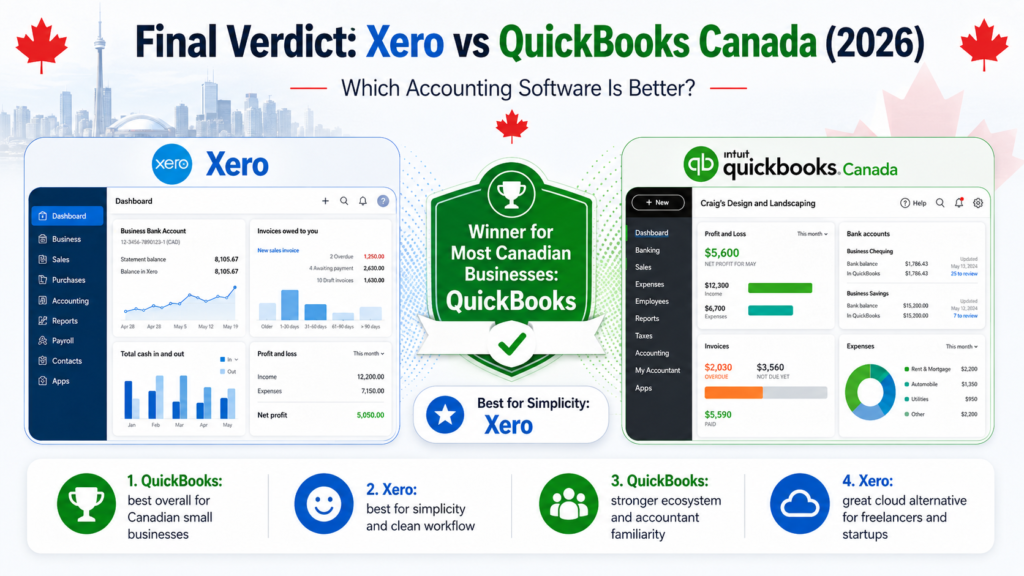
Final Verdict: Xero vs QuickBooks Canada
Xero and QuickBooks are both strong accounting software options for Canadian small businesses.
This xero vs quickbooks canada comparison shows that the best choice depends on your workflow, accountant, business size, and accounting needs.
Choose Xero if you want a modern cloud accounting platform with strong bank reconciliation, clean workflows, and a strong app ecosystem.
Choose QuickBooks if you want a widely recognized accounting platform with strong reporting, accountant familiarity, GST/HST organization, inventory options, and advanced small business tools.
For many Canadian small businesses, QuickBooks is the safer and more familiar choice.
For businesses that prefer a cleaner cloud workflow and strong reconciliation experience, Xero is a serious alternative.
If both feel too advanced, compare Zoho Books, Wave, or FreshBooks before making a final decision.
Frequently Asked Questions
Is Xero better than QuickBooks in Canada?
Xero can be better if you prefer a modern cloud accounting interface, strong bank reconciliation, and flexible workflows. QuickBooks can be better if you want stronger accountant familiarity, advanced reports, and a widely recognized accounting platform in Canada.
Is QuickBooks better than Xero?
QuickBooks may be better for businesses that need detailed reports, accountant collaboration, GST/HST organization, inventory tools on selected plans, and advanced small business features.
Is Xero good for Canadian small businesses?
Yes. Xero can work well for Canadian small businesses that need cloud accounting, invoicing, bank reconciliation, reports, and accountant collaboration.
Does Xero support GST/HST?
Xero can support sales tax tracking and accounting workflows for Canadian businesses. The exact setup should be reviewed with your accountant or bookkeeper.
Does QuickBooks support GST/HST in Canada?
Yes. QuickBooks Canada is designed for Canadian businesses and can help with GST/HST tracking, reports, invoicing, and accounting workflows.
Which is easier to use, Xero or QuickBooks?
Xero may feel easier for users who prefer a cleaner cloud interface. QuickBooks may feel easier if your accountant already uses it and helps with setup.
Which is better for freelancers, Xero or QuickBooks?
For simple freelancers, both platforms may be more advanced than necessary. For advanced freelancers, QuickBooks may be better for accountant support, while Xero may be better for users who prefer cloud accounting workflows.
Which is better for growing businesses?
Both can work for growing businesses. QuickBooks is often stronger for reporting, accountant familiarity, inventory, and advanced features. Xero is strong for cloud workflows, bank reconciliation, and integrations.
Should I choose Xero or QuickBooks?
Choose Xero if you prefer modern cloud accounting and strong bank reconciliation. Choose QuickBooks if you want a more widely recognized accounting platform with strong reports and accountant-friendly workflows.
What is the best alternative to both Xero and QuickBooks?
Zoho Books is a strong alternative for freelancers and small businesses that want invoicing, accounting, automation, and good value. Wave is better for simple invoicing and basic accounting. FreshBooks is strong for service businesses.