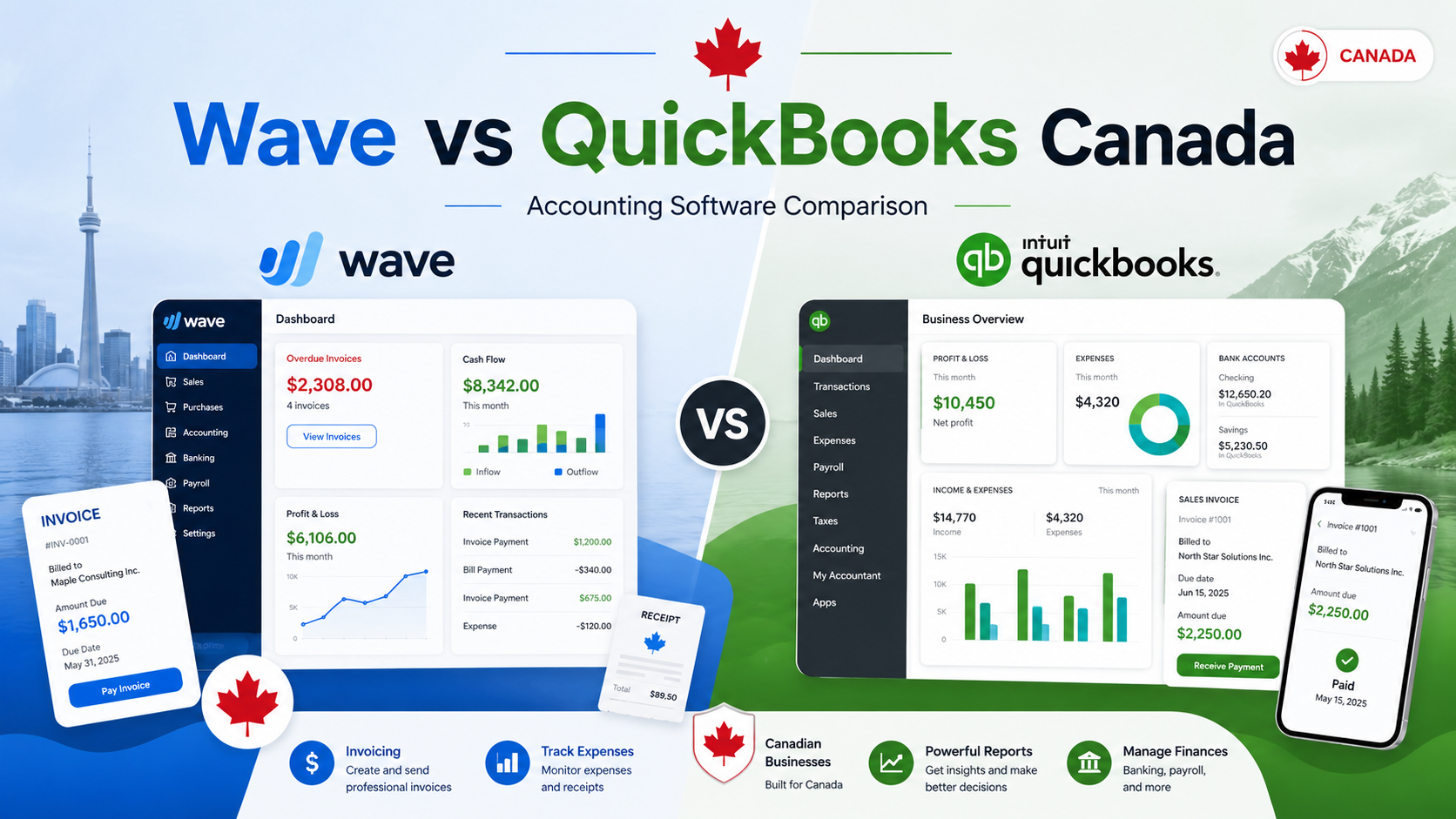
Choosing between Wave and QuickBooks is one of the most common decisions for Canadian freelancers, self-employed professionals, and small business owners.
This wave vs quickbooks canada guide is designed to help small business owners choose the better accounting software based on cost, features, and long-term business needs.
Both platforms help businesses manage invoices, expenses, payments, and accounting. But they are not built for the exact same type of user.
Wave is best known for simple invoicing, basic bookkeeping, and a low-cost entry point for small businesses. QuickBooks is a more advanced accounting platform with stronger reporting, automation, tax organization, inventory tools, and accountant collaboration.
In this Wave vs QuickBooks Canada comparison, we break down pricing, invoicing, accounting features, ease of use, reporting, mobile apps, pros, cons, and the best choice for different types of Canadian businesses in 2026.
Quick Comparison: Wave vs QuickBooks Canada
Wave is better for freelancers, beginners, and very small businesses that want simple invoicing and accounting without overcomplicating their workflow.
QuickBooks is better for growing small businesses that need stronger reports, deeper accounting features, tax organization, inventory tracking, and accountant collaboration.
| Feature | Wave | QuickBooks Canada |
|---|---|---|
| Best For | Freelancers, beginners, self-employed users | Growing small businesses and accounting-heavy users |
| Pricing Model | Low-cost entry point with free/basic tools and paid upgrades | Paid monthly subscription plans |
| Invoicing | Strong and simple | Strong and more advanced |
| Expense Tracking | Basic to good | Strong |
| Reporting | Basic reports | More advanced reports |
| Automation | Limited | Stronger |
| Inventory Tracking | Limited | Available on selected plans |
| Ease of Use | Easier for beginners | More powerful but takes more setup |
| Best Value For | Simple invoicing and low cost | Full accounting and long-term growth |
Short Verdict
Choose Wave if you want simple invoicing, basic accounting, and an easy way to manage a small freelance or self-employed business.
Choose QuickBooks if you need stronger accounting, better reports, inventory tools, accountant access, payroll options, and more advanced business management features.
For most new freelancers, Wave is usually the easier starting point.
For growing small businesses, QuickBooks is usually the better long-term option.
What Is Wave?
Wave is cloud-based invoicing and accounting software designed for freelancers, consultants, contractors, and small business owners.
Its biggest advantage is simplicity. Wave helps users create invoices, track payments, organize income and expenses, and view basic financial reports without needing advanced accounting knowledge.
Wave can help users:
- create professional invoices
- track income and expenses
- connect bank accounts
- manage customers
- send payment reminders
- accept online payments
- view basic financial reports
For a freelancer, consultant, side hustler, or new small business owner, Wave can be enough to manage day-to-day invoicing and basic bookkeeping.
Wave is especially useful when your business is still simple. If you mainly send invoices, track payments, and want basic financial visibility, Wave gives you a lot without making accounting feel complicated.
Best Wave Use Cases
Wave is a good fit for:
- freelancers
- sole proprietors
- consultants
- contractors
- side hustlers
- new small business owners
- service-based businesses
- budget-conscious users
Wave works best when your business does not need advanced inventory, complex reporting, or deep automation.
Related guide: Wave Review for Freelancers in Canada (2026)
Related guide: Wave Fees Canada (2026) – Full Pricing Breakdown
What Is QuickBooks?
QuickBooks is one of the most recognized accounting platforms for small businesses in Canada.
Unlike Wave, QuickBooks is built as a more complete accounting system. It is designed for businesses that need deeper financial management, advanced reports, better automation, inventory tracking, tax tools, and accountant collaboration.
QuickBooks can help businesses:
- create invoices
- track expenses
- manage bills
- connect bank accounts
- generate financial reports
- track GST/HST
- manage projects
- organize receipts
- work with accountants
- track inventory on selected plans
QuickBooks is usually better for businesses that are growing, working with accountants, managing more transactions, or needing stronger reporting.
For freelancers with simple needs, QuickBooks may feel like more software than necessary. But for growing businesses, agencies, contractors, and small companies, it can become a stronger long-term option.
Best QuickBooks Use Cases
QuickBooks is a good fit for:
- growing small businesses
- contractors
- agencies
- ecommerce businesses
- businesses with inventory
- businesses with many monthly transactions
- users who work with accountants
- business owners who need stronger reporting
QuickBooks is better when accounting becomes more important than just sending invoices.
Related guide: QuickBooks Review for Freelancers in Canada (2026)
Related guide: QuickBooks Pricing Canada (2026) – Plans for Freelancers
Wave vs QuickBooks Pricing Canada
Pricing is one of the biggest differences between Wave and QuickBooks.
Wave is usually more attractive for users who want to keep software costs low.
QuickBooks is usually more attractive for users who want more advanced accounting tools and are willing to pay for them.
Wave Pricing
Wave is attractive because it gives small businesses a simple way to start with invoicing and accounting.
Wave is a good fit if you want:
- simple invoicing
- basic accounting
- expense tracking
- customer management
- basic financial reports
- online payment options
Wave may charge fees for payment processing, premium services, payroll where available, or extra features depending on the plan or add-on selected.
For a freelancer or small business that wants to avoid another expensive monthly subscription, Wave is hard to beat.
QuickBooks Pricing
QuickBooks uses a paid subscription model.
The exact price depends on the plan and current promotions, but QuickBooks generally costs more than Wave because it includes more advanced accounting tools.
QuickBooks plans may include:
- invoicing
- expense tracking
- bill management
- receipt capture
- tax tools
- reports
- inventory tracking on selected plans
- project profitability tools on selected plans
- multi-user access depending on plan
QuickBooks is not the cheapest option. But businesses often pay for it because it saves time, improves reporting, and gives more control over accounting.
Pricing Winner
Wave wins on price.
QuickBooks wins on depth and scalability.
If cost is your main concern, Wave is the better choice.
If your business needs stronger accounting tools, QuickBooks can justify the monthly cost.
Invoicing Comparison
Both Wave and QuickBooks are strong invoicing tools.
The difference is not whether they can create invoices. Both can.
The real difference is how much control and accounting depth you need around those invoices.
Wave Invoicing
Wave allows users to create and send professional invoices quickly.
Wave invoicing is good for:
- freelancers
- consultants
- small service businesses
- contractors
- side hustlers
- self-employed professionals
Wave supports invoice customization, payment tracking, recurring invoices, customer records, and online payment options.
The main advantage is simplicity. A beginner can usually create an invoice quickly without needing accounting knowledge.
QuickBooks Invoicing
QuickBooks also offers professional invoicing, but with more advanced options.
QuickBooks invoicing is useful for:
- businesses with repeat customers
- contractors with larger projects
- companies that need estimates
- businesses that track expenses against jobs
- users who want more reporting
QuickBooks can connect invoicing with expenses, projects, taxes, reports, and bookkeeping.
Invoicing Winner
For simple invoicing, Wave is excellent.
For more advanced invoice workflows, QuickBooks is stronger.
Overall, this category is close. Wave is easier, while QuickBooks is more powerful.
Accounting Features Comparison
This is where QuickBooks becomes more powerful.
Wave can handle basic accounting needs, but QuickBooks is built for deeper bookkeeping and business financial management.
Wave Accounting
Wave includes basic accounting tools that are enough for many small businesses.
Wave can help with:
- income tracking
- expense tracking
- bank connections
- basic bookkeeping
- financial reports
- sales tax tracking
For freelancers and small businesses with simple transactions, Wave can work very well.
However, Wave is not as advanced as QuickBooks when it comes to deeper accounting workflows.
QuickBooks Accounting
QuickBooks provides stronger accounting tools.
QuickBooks can help with:
- advanced bookkeeping
- bank reconciliation
- bill management
- GST/HST tracking
- inventory tracking on selected plans
- project profitability
- custom reports
- accountant collaboration
- cash flow visibility
QuickBooks is better suited for businesses that need more than basic income and expense tracking.
Accounting Winner
QuickBooks wins.
Wave is good for simple accounting.
QuickBooks is better for full bookkeeping, tax organization, reporting, and growing business needs.
Ease of Use
Ease of use matters, especially for freelancers and small business owners who do not have accounting experience.
Wave Ease of Use
Wave is simple and beginner-friendly.
The interface is clean, and most users can understand the basics quickly.
Wave is a good choice if you want to:
- send invoices fast
- track simple expenses
- avoid complicated dashboards
- keep software costs low
- manage basic bookkeeping yourself
For many Canadian freelancers, this simplicity is the main reason to choose Wave.
QuickBooks Ease of Use
QuickBooks is more powerful, but it has a steeper learning curve.
Because it includes more features, new users may need time to understand how everything works.
QuickBooks is not impossible to use, but it requires more setup than Wave.
The advantage is that once QuickBooks is set up properly, it can save time through automation and reporting.
Ease of Use Winner
Wave wins for beginners.
QuickBooks wins for users who want more control and are willing to spend more time setting things up properly.
Reporting Comparison
Reports help business owners understand profit, expenses, taxes, and cash flow.
This is one of the biggest areas where QuickBooks is stronger.
Wave Reporting
Wave includes basic reports such as:
- profit and loss
- balance sheet
- cash flow
- sales tax reports
- invoice reports
These reports are enough for many freelancers and simple businesses.
If you only need basic visibility into income, expenses, and cash flow, Wave can be enough.
QuickBooks Reporting
QuickBooks offers stronger reporting tools.
QuickBooks reports may include:
- profit and loss
- balance sheet
- cash flow reports
- sales tax summaries
- project profitability
- expense breakdowns
- custom financial reports
- business performance dashboards
QuickBooks reporting is more useful for businesses that want deeper financial insights.
Reporting Winner
QuickBooks wins.
Wave gives you basic reports.
QuickBooks gives you stronger financial visibility.
GST/HST Support
Canadian businesses often need to track GST/HST correctly.
Both Wave and QuickBooks can help with tax tracking, but QuickBooks is usually stronger for businesses with more complex tax needs.
Wave GST/HST Support
Wave can support sales tax tracking and invoicing needs for Canadian users.
For simple freelancers and small businesses, this may be enough.
Wave can work well if your tax situation is straightforward and your accountant does not require a more advanced system.
QuickBooks GST/HST Support
QuickBooks has stronger tax tracking features and is widely used by Canadian accountants and small businesses.
It is often better for users who need more organized tax reporting and accountant collaboration.
GST/HST Winner
QuickBooks wins.
Wave can work for simple needs, but QuickBooks is stronger for tax organization and reporting.
Mobile App Comparison
Both platforms offer mobile access.
The better choice depends on what you want to do from your phone.
Wave Mobile App
Wave’s mobile tools are useful for:
- creating invoices
- tracking payments
- managing customers
- handling basic business tasks
It is good for freelancers who need simple invoicing on the go.
QuickBooks Mobile App
QuickBooks offers a more complete mobile experience.
The QuickBooks app can help with:
- invoicing
- expenses
- receipts
- reports
- customer management
- business tracking
QuickBooks is better if you want more complete mobile accounting access.
Mobile App Winner
QuickBooks wins for mobile accounting.
Wave is enough for simple mobile invoicing.
Automation Comparison
Automation can save time for business owners.
This matters more as your business grows.
Wave Automation
Wave offers some automation, but it is limited compared with QuickBooks.
Wave may help with:
- invoice reminders
- recurring invoices
- payment tracking
- simple workflows
This is enough for many freelancers.
QuickBooks Automation
QuickBooks offers more automation across bookkeeping, expense tracking, reporting, and accounting workflows.
QuickBooks can be more useful for businesses with many transactions or recurring financial tasks.
Automation Winner
QuickBooks wins.
Wave is simpler, but QuickBooks is better for saving time at scale.
Wave Pros and Cons
Wave Pros
- Simple and beginner-friendly
- Good invoicing tools
- Good for freelancers
- Good for self-employed professionals
- Lower-cost entry point
- Clean interface
- Useful for small service businesses
Wave Cons
- Limited advanced reporting
- Limited automation
- Not ideal for complex accounting
- Limited inventory tools
- May not scale well for larger businesses
- Fewer advanced business management features than QuickBooks
QuickBooks Pros and Cons
QuickBooks Pros
- Strong accounting features
- Advanced reports
- GST/HST tracking
- Inventory features on selected plans
- Better automation
- Accountant-friendly
- Good for growing businesses
- More scalable than Wave
QuickBooks Cons
- Monthly subscription required
- More expensive than Wave
- Steeper learning curve
- May be too advanced for very small businesses
- Setup takes more time
Which Is Better for Freelancers?
For most freelancers, Wave is usually the better starting point.
Wave is best if you:
- want simple software
- send basic invoices
- have a small number of clients
- do not need advanced reports
- want something easy to use
- want to keep costs low
QuickBooks is better for freelancers who:
- earn higher revenue
- work with an accountant
- need tax organization
- want stronger reports
- manage many expenses
- plan to grow into a larger business
Freelancer Winner
Wave is usually the better choice for beginner and budget-conscious freelancers.
QuickBooks is better for freelancers with more advanced accounting needs.
Which Is Better for Small Businesses?
For small businesses, the answer depends on the stage of the business.
Wave is better for very small businesses that need:
- simple invoicing
- basic accounting
- simple expense tracking
- easy setup
- low monthly costs
QuickBooks is better for growing small businesses that need:
- advanced accounting
- financial reports
- tax organization
- inventory tracking
- project tracking
- accountant access
Small Business Winner
QuickBooks is better for growing small businesses.
Wave is better for very small businesses that want simplicity and lower costs.
Which Is Better for Self-Employed Professionals?
Self-employed professionals often need a balance between simplicity and tax organization.
Wave works well for:
- new self-employed users
- side hustlers
- solo consultants
- simple service businesses
QuickBooks works well for:
- self-employed users with higher income
- contractors with many expenses
- professionals who work with accountants
- business owners who need detailed reports
Self-Employed Winner
Wave is better for beginners.
QuickBooks is better for advanced self-employed users.
Best Alternative to Wave and QuickBooks
Wave and QuickBooks are strong options, but they are not the only choices.
Zoho Books
Zoho Books is a strong option for freelancers who want automation, recurring invoices, and affordable pricing.
It is often a good middle ground between Wave and QuickBooks.
If Wave feels too simple and QuickBooks feels too expensive, Zoho Books may be worth comparing.
Related guide: Zoho Books vs QuickBooks for Freelancers in Canada (2026)
Related guide: Wave vs Zoho Books for Freelancers in Canada (2026)
FreshBooks
FreshBooks is another popular invoicing and accounting tool for freelancers and service businesses.
It can be useful for users who want simple invoicing, time tracking, expenses, and client management.
Bonsai
Bonsai can be useful for freelancers who want proposals, contracts, invoices, and client management in one platform.
Overall, this wave vs quickbooks canada comparison shows that Wave is better for simple and low-cost accounting, while QuickBooks is stronger for growing businesses that need advanced financial tools.
- Related guide: Best QuickBooks Alternatives Canada (2026)
- Related guide: Xero vs QuickBooks Canada (2026)
- Related guide: FreshBooks vs QuickBooks Canada (2026)
- Related guide: Best Accounting Software for Small Business Canada (2026)
Final Verdict: Wave vs QuickBooks Canada
Wave and QuickBooks are both strong accounting tools, but they are best for different users.
Choose Wave if you want simple invoicing, basic accounting, and an easy platform for a freelance or self-employed business.
Choose QuickBooks if you need advanced accounting, detailed reports, tax organization, inventory tracking, or accountant collaboration.
For most Canadian freelancers and new small businesses, Wave offers better value because it is easier to start with and keeps costs low.
For growing small businesses, QuickBooks is the better long-term solution because it offers more advanced accounting and reporting.
The best choice depends on your business stage.
If you are just starting, choose Wave.
If your business is growing and you need better financial control, choose QuickBooks.
Frequently Asked Questions
Is Wave really free in Canada?
Wave offers a low-cost way to start with invoicing and accounting. Some services, such as payment processing, payroll where available, or premium features, may include fees.
Is QuickBooks better than Wave?
QuickBooks is better for advanced accounting, reporting, and growing businesses. Wave is better for freelancers and small businesses that want simple invoicing and basic accounting.
Can I switch from Wave to QuickBooks later?
Yes. Many businesses start with Wave and move to QuickBooks when they need more advanced accounting tools.
Which is better for freelancers in Canada?
Wave is usually better for freelancers because it is simple, easy to use, and good for basic invoicing and accounting.
Which is better for small businesses in Canada?
QuickBooks is usually better for growing small businesses because it provides stronger reporting, automation, and bookkeeping features.
Does Wave support GST/HST?
Wave can be used for sales tax tracking and invoicing needs, but QuickBooks provides stronger tax organization and reporting tools for more complex businesses.
Does QuickBooks work for Canadian businesses?
Yes. QuickBooks Canada is designed for Canadian businesses and supports accounting, invoicing, tax tracking, and reporting features.
Is Wave enough for a small business?
Wave can be enough for very small businesses with simple invoicing and bookkeeping needs. Businesses with more complex accounting may eventually need QuickBooks.
Is QuickBooks worth the price?
QuickBooks can be worth the price if your business needs advanced reporting, automation, accountant access, tax organization, or inventory tracking.